

 By
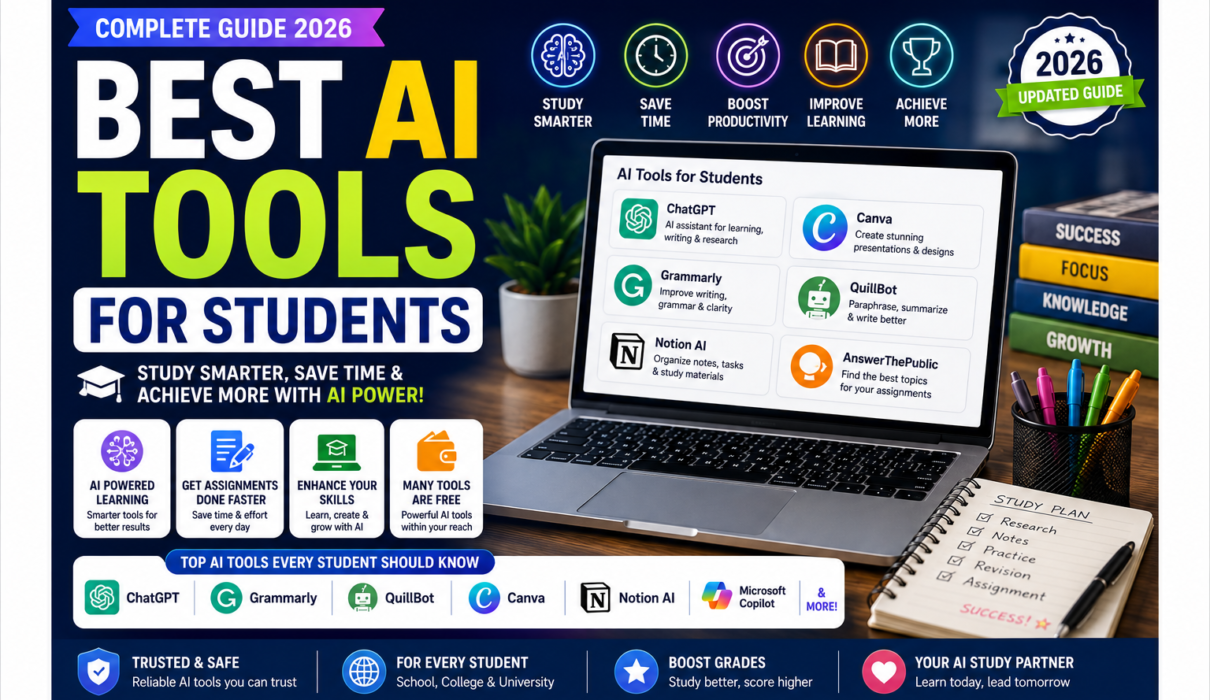
By Best AI Tools for Students in 2026
Artificial Intelligence is changing the way students learn, research, write, organize information, and prepare for exams.
Instead of spending hours searching for explanations, organizing notes, creating practice questions, or proofreading assignments, students can now use AI tools for students to support many parts of their academic workflow.
But there’s an important distinction: AI should help students learn, not simply help them finish assignments.
The best AI study tools can explain difficult concepts, ask questions, summarize your own notes, help you identify gaps in your understanding, improve your writing, and create personalized study plans. OpenAI’s current student resources, for example, specifically position ChatGPT for learning course material, improving academic work, and planning exams and projects. (OpenAI Academy)
In this guide, we’ll explore the best AI tools for students in 2026, including tools for studying, research, writing, mathematics, note-taking, presentations, coding, and productivity.
Important: AI tools, pricing, student discounts, features, and usage limits can change frequently. Check each tool’s official website before subscribing.
Why Should Students Use AI Tools?
Students often have to balance lectures, assignments, projects, exams, research papers, presentations, extracurricular activities, and personal commitments.
AI can help reduce some of the repetitive work.
AI tools can help students:
- Understand difficult concepts
- Create study plans
- Summarize their own notes
- Generate practice questions
- Brainstorm ideas
- Improve writing
- Find and organize research
- Create presentations
- Learn programming
- Prepare for exams
- Manage tasks
- Review mistakes
The goal isn’t to use AI for everything.
Instead, use AI where it provides genuine learning or productivity value.
If you are new to Artificial Intelligence, you can first explore our guide to 10 Best AI Tools for Beginners (Free & Easy to Use in 2026).
Quick Comparison: Best AI Tools for Students
| AI Tool | Best For | Beginner-Friendly | Free Access |
|---|---|---|---|
| ChatGPT | General study & tutoring | ⭐⭐⭐⭐⭐ | Yes |
| Google Gemini | Study & Google ecosystem | ⭐⭐⭐⭐⭐ | Yes |
| NotebookLM | Notes & source-based learning | ⭐⭐⭐⭐⭐ | Yes |
| Perplexity | Research | ⭐⭐⭐⭐⭐ | Yes |
| Claude | Writing & reasoning | ⭐⭐⭐⭐☆ | Yes |
| Grammarly | Writing & editing | ⭐⭐⭐⭐⭐ | Yes |
| Canva | Presentations & design | ⭐⭐⭐⭐⭐ | Yes |
| Quizlet | Flashcards & revision | ⭐⭐⭐⭐⭐ | Yes/varies |
| GitHub Copilot | Coding | ⭐⭐⭐⭐☆ | Yes/varies |
| **Wolfram | Alpha** | Math & computational questions | ⭐⭐⭐⭐☆ |
| Otter.ai | Lecture/meeting notes | ⭐⭐⭐⭐⭐ | Yes/limited |
| Notion AI | Organization & notes | ⭐⭐⭐⭐☆ | Limited/varies |
1. ChatGPT
Best For: General learning, tutoring, brainstorming and exam preparation
ChatGPT is one of the most versatile AI tools for students.
Students can use it to:
- Explain difficult concepts
- Create study plans
- Brainstorm ideas
- Summarize study material
- Generate practice questions
- Review answers
- Prepare for exams
- Understand programming
- Analyze uploaded documents
- Practice interviews
One particularly useful feature is Study Mode.
OpenAI says Study Mode is designed to help students build deeper understanding rather than simply receiving an answer. It can ask guiding questions, explain concepts step by step, check understanding, create practice questions, and work with uploaded study materials. (OpenAI Help Center)
You can learn more about ChatGPT Study Mode directly from OpenAI.
Example Prompt
Instead of:
“Explain photosynthesis.”
Try:
“Teach me photosynthesis as if I’m preparing for a high-school biology exam. Explain it step by step, then ask me five questions one at a time and don’t reveal the answer until I attempt each question.”
This turns AI into a learning partner rather than an answer generator.
Pros
- Extremely versatile
- Beginner-friendly
- Useful across subjects
- Excellent for explanations and brainstorming
- Study Mode supports active learning
Cons
- AI can make mistakes.
- Students should verify important facts.
- Use must follow school or university AI policies.
Best for: Almost every type of student.
2. Google Gemini
Best For: Google users, research and study planning
Google Gemini is another powerful general-purpose AI assistant.
Students can use Gemini for:
- Brainstorming
- Research
- Summarization
- Explanations
- Study planning
- Writing assistance
- Quiz preparation
- Working with Google-related workflows
Google has also been expanding Gemini’s education-focused capabilities. Its 2026 education updates describe improvements involving Gemini and NotebookLM for learners. (blog.google)
Recent reporting also indicates that Google has introduced a dedicated student hub with features such as study notebooks, flashcards, quizzes, and research-related tools. Availability of specific student offers and features varies by country and eligibility. (The Verge)
Example
Ask:
“Create a 14-day revision schedule for my economics exam. Divide the syllabus into manageable daily topics and include two revision days.”
Pros
- Easy to use
- Strong Google ecosystem
- Useful for research and planning
- Good for general academic questions
Cons
- Features vary by account and region.
- Important information still needs verification.
Best for: Students already using Google services.
3. NotebookLM
Best For: Studying your own notes, PDFs and course material
NotebookLM is one of the most interesting AI tools for students because it is designed around source-based learning.
Instead of simply asking a general AI model a question, you can provide relevant source material and use the AI to work with that material.
This can be particularly useful for:
- Lecture notes
- Study guides
- PDFs
- Research papers
- Course readings
- Textbooks
- Syllabi
- Class documents
Google has highlighted NotebookLM as an AI tool designed to help learners work with their own material and improve study workflows. (blog.google)
Example Workflow
Upload your lecture notes and ask:
“Create a chapter summary.”
Then:
“Identify the five most important concepts.”
Then:
“Create 15 exam-style questions based only on these notes.”
Finally:
“Quiz me one question at a time.”
This creates a much more structured study workflow.
Pros
- Excellent for source-based study
- Useful with long documents
- Helps organize learning material
- Great for revision
Cons
- The quality of results depends on the supplied material.
- Students should still check important interpretations against original sources.
Best for: College students, researchers and students with lots of PDFs and lecture material.
4. Perplexity
Best For: Academic research and finding sources
Perplexity is particularly useful for research-oriented tasks.
Its Research mode can perform multiple searches, analyze sources, and produce a more comprehensive report. (Perplexity AI)
Perplexity has also introduced Learn Mode, designed specifically around interactive student learning rather than simply providing answers. (Perplexity AI)
How Students Can Use It
Use Perplexity to:
- Explore research topics
- Find background information
- Compare theories
- Identify sources
- Understand current topics
- Create preliminary research notes
- Explore unfamiliar subjects
Example
“Explain the causes of climate change and provide reliable sources that I can investigate for a university assignment.”
Always open and read the original sources rather than relying entirely on an AI-generated summary.
Pros
- Excellent for research
- Source-oriented answers
- Research mode
- Learn Mode for students
Cons
- AI summaries can still contain errors.
- Primary sources should be checked before academic citation.
Best for: Research papers, projects and university students.
5. Claude
Best For: Writing, reasoning and understanding long material
Claude can be useful for students who need help understanding complex material or improving drafts.
Potential uses include:
- Explaining difficult concepts
- Brainstorming essays
- Structuring arguments
- Reviewing drafts
- Summarizing long material
- Comparing ideas
- Practicing critical thinking
The best use isn’t:
“Write my entire essay.”
A better approach is:
“Here is my thesis and outline. Identify weaknesses in my argument and suggest questions I should consider.”
This keeps the student involved in the intellectual process.
Pros
- Strong reasoning
- Useful for writing
- Good for complex explanations
- Helpful for brainstorming
Cons
- Can still make factual errors.
- Students should verify academic claims.
- Academic policies still apply.
Best for: Essay planning, reasoning and complex subjects.
6. Grammarly
Best For: Writing, grammar and editing
Grammarly is particularly useful for students who want to improve the quality and clarity of their own writing.
Its student offering includes writing assistance, AI-powered feedback, citation-related features and tools designed to support academic writing. (Grammarly)
Students Can Use Grammarly To:
- Correct grammar
- Improve sentence clarity
- Reduce unnecessary words
- Improve tone
- Proofread assignments
- Brainstorm ideas
- Review citations
- Improve essay structure
Example
Instead of asking AI to write your essay, write the first draft yourself and use Grammarly to identify unclear sentences and grammatical mistakes.
This makes the tool more of an editing assistant than a replacement for your own writing.
Pros
- Extremely easy to use
- Excellent writing support
- Useful across many applications
- Student-focused resources
Cons
- Some advanced features require a paid plan.
- Suggestions should not replace your own judgment.
Best for: Essays, assignments, reports and everyday student communication.
7. Canva
Best For: Presentations, posters and visual projects
Canva is a popular design platform with AI-powered features that can help students create visual content.
Students can use Canva for:
- Presentations
- Infographics
- Posters
- Project covers
- Diagrams
- Social media projects
- Educational graphics
- Visual reports
Example
For a presentation about Artificial Intelligence, you could use Canva to create:
Slide 1: What is AI?
Slide 2: How AI works
Slide 3: Real-life applications
Slide 4: Benefits
Slide 5: Risks
Slide 6: Conclusion
AI can help with the initial content and design process, while the student should verify the information and customize the final presentation.
Pros
- Beginner-friendly
- Excellent templates
- Great for presentations
- Useful for visual learners
Cons
- Some premium features require a subscription.
- AI-generated visuals may require editing.
Best for: Presentations, projects and visual assignments.
8. Quizlet
Best For: Flashcards and exam revision
Quizlet is well known for flashcards and study activities.
AI-powered study features can help students turn learning material into more interactive revision resources, depending on the current plan and feature availability.
Useful For
- Vocabulary
- Definitions
- Formula revision
- Language learning
- Quick quizzes
- Flashcards
- Exam preparation
Example
Take a chapter containing 30 important terms and convert them into flashcards.
Then use those flashcards for active recall instead of repeatedly rereading the chapter.
Pros
- Excellent for memorization
- Simple interface
- Useful on mobile
- Good for quick revision
Cons
- Features vary by plan.
- Student-created material should be checked for accuracy.
Best for: Memorization-heavy subjects and exam revision.
9. GitHub Copilot
Best For: Programming and computer science students
GitHub Copilot is an AI coding assistant that can help students learn and write software.
It can assist with:
- Code completion
- Explaining code
- Debugging
- Generating examples
- Writing tests
- Learning programming concepts
If you’re studying computer science, our guide to Best AI Coding Assistants in 2026 provides a deeper comparison of AI tools for programming.
Example
Instead of:
“Write this Python assignment for me.”
Ask:
“Explain how I could approach this problem using Python. Give me hints first and don’t provide the complete solution.”
This is a much better learning strategy.
Pros
- Useful for coding students
- Helps explain programming concepts
- Speeds up repetitive coding
- Supports many development workflows
Cons
- Students can become overly dependent on generated code.
- Generated code must be reviewed and tested.
Best for: Computer science and programming students.
10. Wolfram|Alpha
Best For: Mathematics and computational learning
Wolfram|Alpha is a computational knowledge engine that can be especially useful for mathematics and technical subjects.
Students can use it to explore:
- Algebra
- Calculus
- Statistics
- Equations
- Graphs
- Mathematical concepts
- Scientific calculations
However, don’t use it simply to obtain the final answer.
Instead, use it to check your work or investigate why a particular result occurs.
Better Study Workflow
Solve problem yourself → check result → investigate mistake → understand method
This is much more educational than:
Paste problem → copy answer → submit
Best for: Mathematics, physics, engineering and quantitative subjects.
11. Otter.ai
Best For: Lecture and meeting notes
Otter.ai can help students capture and organize spoken information through AI-assisted transcription and meeting/lecture workflows.
It can be useful when students need to:
- Review lectures
- Search transcripts
- Identify key points
- Organize spoken information
- Create follow-up notes
Important Privacy Tip
Before recording a lecture or discussion, check your institution’s policies and obtain any consent required by applicable rules.
Best For
Students who attend information-heavy lectures, seminars and group discussions.
12. Notion AI
Best For: Organizing notes, assignments and projects
Notion combines notes, databases, documents, tasks and project organization.
Students can use it to create a centralized academic workspace.
For example:
Semester Dashboard
- Mathematics
- Computer Science
- Economics
- Assignments
- Exam dates
- Research projects
- Reading list
- Study schedule
AI can then help summarize notes, generate task lists and organize information.
If you’re interested in AI for productivity beyond education, see our guide to Best AI Productivity Tools in 2026.
Best for: Students managing multiple subjects and projects.
Best AI Tools for Students by Use Case
| Student Need | Best Tool |
|---|---|
| General studying | ChatGPT |
| AI tutoring | ChatGPT |
| Google-based study workflow | Gemini |
| Studying PDFs & notes | NotebookLM |
| Academic research | Perplexity |
| Essay brainstorming | Claude |
| Grammar & editing | Grammarly |
| Presentations | Canva |
| Flashcards | Quizlet |
| Coding | GitHub Copilot |
| Mathematics | Wolfram|Alpha |
| Lecture transcription | Otter.ai |
| Organization | Notion AI |
Best Free AI Tools for Students
If you’re a student on a limited budget, you don’t need a dozen paid subscriptions.
Start with free access where available.
Recommended Free Student Stack
ChatGPT → explanations and tutoring
NotebookLM → course notes and PDFs
Perplexity → research
Grammarly → writing and editing
Canva → presentations
Gemini → general AI assistance
Free access and feature limits vary, so check the current plans before making your choice.
For example, Perplexity currently offers a Learn Mode for student learning and an Education Pro plan for verified students and educators at a discounted rate. (Perplexity AI)
Grammarly also currently offers student-specific features and has a limited-time student discount for eligible users. (Grammarly)
How to Use AI Tools for Studying Effectively
The most important question isn’t:
“Which AI tool should I use?”
It’s:
“How should I use AI to actually learn?”
1. Use AI as a Tutor
Ask the AI to explain concepts at your level.
Example:
“Explain Newton’s laws as if I’m a beginner. Use everyday examples and then quiz me.”
2. Use Active Recall
Instead of repeatedly reading notes, ask AI to quiz you.
“Ask me 10 questions about this chapter one at a time. Wait for my answer before giving feedback.”
This forces you to retrieve information from memory.
3. Use AI to Find Knowledge Gaps
Ask:
“Based on my answers, identify the concepts I don’t understand well and create a revision plan.”
4. Upload Your Own Study Material
When possible, give the AI your actual:
- Notes
- Slides
- Syllabus
- Reading material
- Practice questions
This can produce more relevant study assistance than asking generic questions.
5. Ask for Explanations, Not Just Answers
Instead of:
“What’s the answer?”
Ask:
“Show me how to solve this problem step by step and explain why each step is necessary.”
How AI Can Help With Assignments
AI can support different stages of an assignment.
Stage 1: Understand the Question
Ask AI to explain what the assignment is asking.
Stage 2: Brainstorm
Generate possible approaches and questions to investigate.
Stage 3: Research
Use research tools to identify relevant sources.
Stage 4: Create Your Own Draft
Write the assignment in your own words.
Stage 5: Get Feedback
Ask AI to identify:
- Weak arguments
- Missing evidence
- Unclear sentences
- Logical gaps
- Grammar problems
Stage 6: Verify
Check facts and sources yourself.
This approach is much safer and more educational than asking AI to generate the entire submission.
AI Tools for Research Papers
For research-heavy assignments, consider combining several tools.
Step 1: Perplexity
Use it to explore the topic and discover potential sources.
Step 2: NotebookLM
Upload the papers or sources you’ve selected and use them to organize your understanding.
Step 3: ChatGPT or Claude
Use AI to brainstorm questions, compare arguments, or clarify difficult concepts.
Step 4: Grammarly
Use it to review your own draft for clarity and grammar.
Step 5: Original Sources
Read the actual papers and references before citing them.
Never assume an AI-generated citation is automatically correct.
AI Tools for Exam Preparation
AI can turn exam preparation into a structured process.
One Week Before the Exam
Ask:
“Create a seven-day revision schedule based on these topics.”
Three Days Before
Ask:
“Create 30 practice questions based on these notes.”
Two Days Before
Ask:
“Quiz me on the topics I struggled with.”
One Day Before
Ask:
“Create a concise revision checklist from my study material.”
This workflow can help students study more actively instead of simply rereading textbooks.
How Students Should Use AI Responsibly
AI is powerful, but responsible use is essential.
1. Don’t Submit AI-Generated Work as Your Own
Your institution may have specific rules regarding AI use.
Always check your:
- University policy
- School policy
- Teacher’s instructions
- Assignment requirements
OpenAI’s own Study Mode guidance also explicitly tells students to follow the AI-use policies of their school, instructor, or organization for graded work. (OpenAI Help Center)
2. Verify Facts
AI can produce incorrect information.
For important academic work, verify:
- Statistics
- Dates
- Names
- Research findings
- Citations
- Formulas
- Quotes
3. Don’t Trust AI-Generated Citations Blindly
If AI provides a citation, find the original source.
Make sure:
- The source exists.
- The author is correct.
- The title is correct.
- The publication date is correct.
- The source actually supports the claim.
4. Protect Personal Information
Don’t upload sensitive information such as:
- Passwords
- Financial information
- Private records
- Confidential institutional information
- Other people’s personal information
Understand the privacy settings of the tool you’re using.
AI Tools for Different Types of Students
School Students
Best starting tools:
- ChatGPT
- Gemini
- NotebookLM
- Canva
- Quizlet
Focus on explanations, practice questions and revision.
College Students
Recommended combination:
- ChatGPT
- Perplexity
- NotebookLM
- Grammarly
- Canva
- Notion
These cover research, writing, studying and organization.
Engineering Students
Consider:
- ChatGPT
- Gemini
- Wolfram|Alpha
- GitHub Copilot
- NotebookLM
These can support mathematics, programming, technical learning and documentation.
Computer Science Students
Consider:
- GitHub Copilot
- ChatGPT
- Claude
- Gemini Code Assist
- NotebookLM
Use AI to understand programming concepts rather than simply copying solutions.
Research Students
Consider:
- Perplexity
- NotebookLM
- ChatGPT
- Claude
- Grammarly
Research students should place particular emphasis on primary sources and citation verification.
Advantages of AI Tools for Students
Faster Learning Support
Students can get explanations whenever they need them.
Personalized Practice
AI can adjust questions based on your weaknesses.
Better Organization
AI can help turn scattered notes into structured study plans.
Writing Improvement
Writing assistants can identify grammar and clarity issues.
Research Assistance
AI research tools can help students discover relevant information faster.
Accessibility
AI can explain difficult material in different ways, which can be useful for students with different learning preferences.
Limitations of AI Study Tools
AI is not a perfect teacher.
1. Incorrect Information
AI can confidently provide wrong answers.
2. Overdependence
If students use AI for every problem, they may not develop independent problem-solving skills.
3. Academic Integrity
Using AI in ways prohibited by a school or university can create serious academic problems.
4. Privacy
Students should be careful about what information they upload.
5. Reduced Critical Thinking
Copying AI-generated answers without questioning them can undermine genuine learning.
Frequently Asked Questions
What are the best AI tools for students in 2026?
Some of the strongest options include ChatGPT, Gemini, NotebookLM, Perplexity, Claude, Grammarly, Canva, Quizlet, GitHub Copilot, Wolfram|Alpha, Otter.ai and Notion AI. The best choice depends on whether you need tutoring, research, writing, mathematics, coding or organization.
What is the best free AI tool for students?
ChatGPT is a strong general-purpose starting point, while NotebookLM can be particularly useful for working with your own study material. Free features and usage limits vary by platform.
Can AI tools help students study for exams?
Yes. Students can use AI to create study plans, generate practice questions, explain difficult concepts, identify knowledge gaps and conduct interactive quizzes.
Can students use ChatGPT for homework?
Students can use ChatGPT as a learning aid, but they should follow their teacher’s or institution’s rules. ChatGPT’s Study Mode is specifically designed to guide students through concepts and problems rather than simply providing final answers. (OpenAI Help Center)
Which AI tool is best for research papers?
Perplexity can be useful for discovering and exploring sources, while NotebookLM can help students work with selected research material. However, students should always read and verify the original sources.
Which AI tool is best for writing essays?
Grammarly is useful for editing and improving your own writing, while ChatGPT or Claude can help with brainstorming, outlining and feedback. Students should avoid submitting AI-generated writing as their own when their institution prohibits it.
Which AI tool is best for mathematics?
Wolfram|Alpha is particularly useful for computational mathematics. ChatGPT can also help explain mathematical concepts step by step. Ideally, use these tools to understand the method rather than simply obtain an answer.
Are AI tools allowed in schools and colleges?
Policies vary. Some institutions permit AI for brainstorming or editing, while others restrict or prohibit it for particular assignments. Always check the specific rules that apply to your course.
Final Verdict: Which Are the Best AI Tools for Students?
The best AI tools for students in 2026 aren’t necessarily the tools with the most features. They’re the tools that help you learn more effectively while keeping you actively involved in the learning process.
For an all-purpose AI tutor, ChatGPT is an excellent starting point, particularly because Study Mode is designed around guided learning and active participation. (OpenAI Help Center)
For working with your own lecture notes and PDFs, NotebookLM is particularly useful.
For research, Perplexity stands out because of its research-oriented features and student-focused Learn Mode. (Perplexity AI)
For writing, Grammarly can help improve grammar, clarity, citations and revision. (Grammarly)
For presentations, Canva is an excellent beginner-friendly option. For coding, GitHub Copilot can assist programming students. For mathematics, Wolfram|Alpha is worth exploring.
But you don’t need all of them.
A simple student AI stack could be:
ChatGPT → Learn
NotebookLM → Study your notes
Perplexity → Research
Grammarly → Improve your writing
Canva → Create presentations
Quizlet → Revise
The most important rule is simple:
Use AI to become a better student—not to avoid becoming a student.
When AI is used for explanation, practice, feedback, research discovery and organization, it can become a powerful learning partner while still keeping the student at the center of the process.
Call to Action
Hope you liked our guide Best AI Tools for Students in 2026: Top Study, Research & Productivity Tools.
For more AI related blogs do follow us on NextGenAIToolNest.