

 By
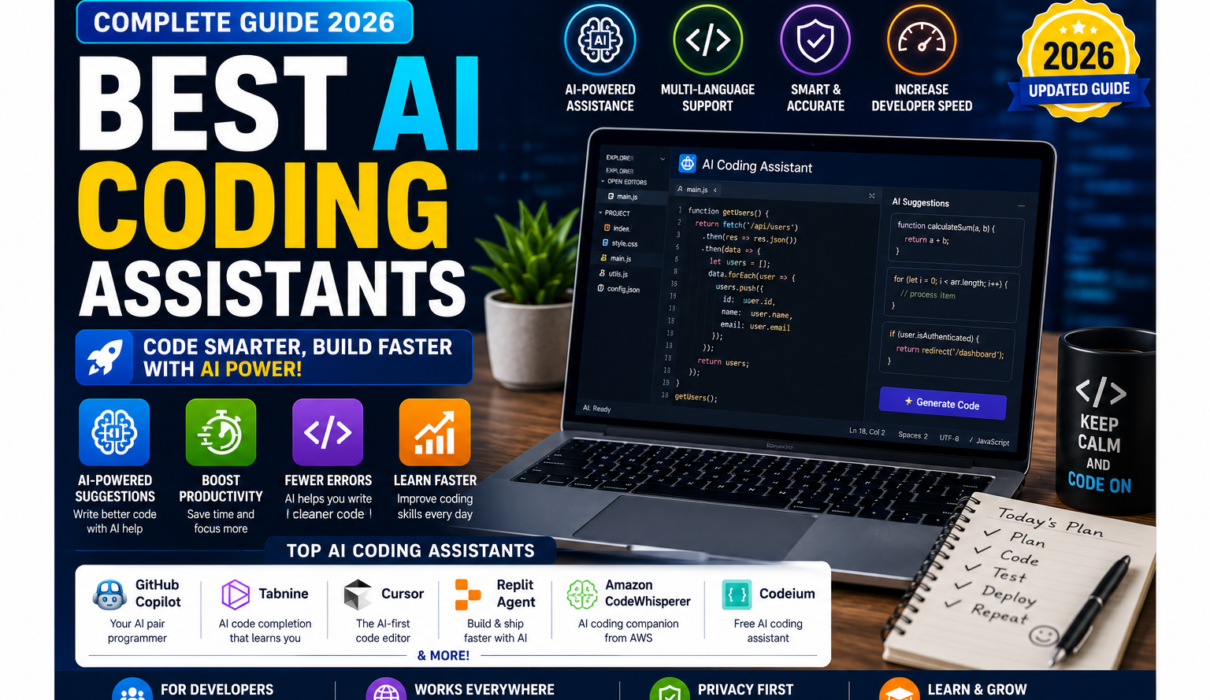
By Best AI Coding Assistants in 2026
Software development is changing rapidly.
Developers no longer have to write every line of code manually. Modern AI coding assistants can suggest code, explain unfamiliar functions, find bugs, generate tests, refactor files, work across repositories, and increasingly perform multi-step development tasks.
Tools such as OpenAI Codex are examples of the growing shift toward AI-assisted and agentic software development.
For beginners, this can make programming easier to learn. If you’re new to Artificial Intelligence, start with our [complete beginner’s guide to Artificial Intelligence] before exploring specialized AI coding tools. For experienced developers, AI can reduce repetitive work and provide another way to explore solutions.
But with so many options available, an important question remains:
Which are the best AI coding assistants in 2026?
In this guide, we’ll compare some of the leading AI coding tools, explain what each one is best at, discuss their advantages and limitations, and show you how to choose the right assistant for your workflow.
Important: AI coding tools, models, pricing, free tiers, and usage limits change quickly. Always check the official website before subscribing or making a tool part of a production workflow.
Best AI Coding Assistants in 2026
What Is an AI Coding Assistant?
An AI coding assistant is software that uses artificial intelligence to help with programming and software development. If you want to explore AI beyond programming, check out our guide to the [best AI tools for beginners].
Depending on the tool, an AI coding assistant may be able to:
- Generate code
- Complete code while you type
- Explain existing code
- Find programming errors
- Debug applications
- Write unit tests
- Refactor code
- Generate documentation
- Understand a codebase
- Suggest terminal commands
- Make changes across multiple files
- Review pull requests
- Help plan development tasks
Earlier coding assistants were primarily focused on autocomplete. Today’s tools increasingly support agentic coding, where the AI can plan and execute several steps rather than simply suggesting the next line.
For example, instead of asking an AI to write one function, you might ask:
“Add user authentication to this application, create the required API endpoints, add tests, update the documentation, and explain the changes.”
Depending on the tool and permissions, an agentic coding assistant may inspect the repository, propose a plan, edit multiple files, run tests, identify errors, and iterate.
GitHub’s current Copilot documentation, for example, describes agentic capabilities that can research a repository, create an implementation plan, make changes on a branch, and open a pull request for review. (GitHub Docs)
GitHub’s Copilot documentation provides an example of how modern coding assistants are moving beyond autocomplete toward agentic development.
Why Are AI Coding Assistants So Popular?
The biggest attraction is simple:
They can reduce repetitive development work. This is part of the broader productivity revolution created by AI. You can learn more in our guide to the [best AI productivity tools in 2026].
Developers regularly perform tasks such as:
- Writing boilerplate code
- Creating similar functions
- Writing tests
- Debugging errors
- Explaining legacy code
- Creating documentation
- Converting code between languages
- Searching through large repositories
AI can help accelerate many of these activities.
However, productivity doesn’t mean allowing AI to make every decision. The developer still needs to understand the problem, review the output, run tests, and verify that the implementation is safe.
Quick Comparison: Best AI Coding Assistants
| AI Coding Assistant | Best For | Beginner-Friendly | Main Strength |
|---|---|---|---|
| GitHub Copilot | General coding | ⭐⭐⭐⭐⭐ | IDE + GitHub integration |
| Cursor | AI-native development | ⭐⭐⭐⭐⭐ | Codebase-aware editing |
| Claude Code | Complex coding tasks | ⭐⭐⭐⭐☆ | Agentic terminal workflows |
| Gemini Code Assist | Google ecosystem | ⭐⭐⭐⭐⭐ | Google Cloud & coding assistance |
| Amazon Q Developer | AWS development | ⭐⭐⭐⭐☆ | AWS-focused development |
| Windsurf | Agentic IDE workflows | ⭐⭐⭐⭐☆ | AI-powered coding environment |
| Cline | Flexible AI coding | ⭐⭐⭐⭐☆ | Model/provider flexibility |
| OpenAI Codex | Agentic software development | ⭐⭐⭐⭐☆ | Autonomous coding workflows |
Best AI coding tools.
1. GitHub Copilot
Best For: General-purpose coding and GitHub users
GitHub Copilot is one of the best-known AI coding assistants and remains a strong choice for developers who want AI assistance directly inside their development environment.
Developers can learn more about its available capabilities through the official GitHub Copilot documentation.
GitHub describes Copilot as an AI coding assistant that helps developers write code faster, with features including code suggestions, chat, command-line assistance, code review, and agentic workflows. (GitHub Docs)
AI isn’t limited to software development. Tools designed for writing, research, planning, and automation can also improve everyday productivity. Explore our guide to [AI productivity tools].
Key Features
- Code completion
- AI coding chat
- Code explanation
- Test generation
- Bug fixing
- Code review
- Agent mode
- Pull-request assistance
- Command-line assistance
GitHub Copilot can also use project-specific context to provide more relevant answers. Its documentation supports references to files, selections, the codebase, Git information, and workspace context. (GitHub Docs)
Pros
✔ Easy to start
✔ Works with popular development environments
✔ Strong GitHub integration
✔ Useful for beginners and professionals
✔ Supports both suggestions and agentic workflows
Cons
- Advanced features may require a paid plan.
- AI-generated code still requires review.
- Results can vary depending on the project and prompt.
Best For
Beginners, professional developers, GitHub users, and teams.
Overall Rating: 4.8/5
2. Cursor
Best For: AI-native coding and large codebases
Cursor is an AI-powered code editor designed around AI-assisted development.
Readers can check the official Cursor pricing page for current plans and usage limits.
Rather than simply adding an AI chatbot to an existing editor, Cursor integrates AI deeply into the coding experience.
Its features include intelligent autocomplete, natural-language editing, codebase understanding, agent workflows, terminal commands, documentation references, and error correction. (Cursor)
What Makes Cursor Different?
One of Cursor’s strengths is its ability to work with context from your codebase.
For example, you could ask:
“Find where user authentication is handled and explain how the login process works.”
Instead of manually opening dozens of files, the AI can use codebase context to help locate relevant information.
Cursor also supports natural-language edits across code. (Cursor)
Codebase-aware AI is one example of how AI is becoming a practical productivity assistant. For more examples, see our guide to [the best AI productivity tools].
Pros
✔ Excellent AI-native editor
✔ Strong codebase awareness
✔ Multi-file editing
✔ Agent workflows
✔ Natural-language code changes
✔ Familiar interface for VS Code users
Cons
- It requires learning a new editor.
- Heavy AI usage can consume available usage.
- Advanced functionality can be more than beginners need.
Cursor currently offers a free Hobby plan alongside paid plans; its official pricing page lists Pro and higher tiers with additional agent and usage capabilities. (Cursor)
Best For
Developers who want AI deeply integrated into their coding environment.
Overall Rating: 4.9/5
AI Programming assistants.
3. Claude Code
Best For: Complex, multi-file development tasks
Claude Code takes a different approach. Anthropic’s Claude Code documentation provides information about its command-line workflow and configuration.
It is an agentic coding system designed to work directly with your repository and development environment.
Anthropic describes Claude Code as a system that can read a codebase, make changes across files, run tests, and deliver committed code. (Anthropic)
It is particularly interesting for developers who are comfortable using a terminal.
Example
You might provide a task such as:
“Find the cause of this failing test, fix the implementation, add a regression test, and run the test suite.”
Claude Code can inspect the project, make changes, execute commands, and iterate.
Anthropic’s documentation also provides a CLI that supports interactive sessions, prompts, continuation, and MCP configuration. (Claude Platform Docs)
Pros
✔ Strong agentic workflow
✔ Excellent for multi-file tasks
✔ Terminal-based
✔ Can run commands and tests
✔ Useful for large development tasks
Cons
- More technical than basic coding assistants.
- Beginners may need time to understand terminal-based workflows.
- AI-generated changes still require careful review.
Best For
Experienced developers, technical users, and complex repository tasks.
Overall Rating: 4.9/5
4. Gemini Code Assist
Best For: Google Cloud and Google ecosystem developers
Google’s Gemini Code Assist is an AI-powered development assistant designed to help developers write and understand code.
It can assist with code generation, completion, debugging, explanations, and development tasks.
It can be particularly attractive if your development workflow already uses Google Cloud, Google APIs, or other Google developer services.
Potential Uses
- Generate code
- Explain functions
- Debug errors
- Create tests
- Improve existing code
- Learn programming concepts
- Assist with cloud development
Pros
✔ Strong Google ecosystem integration
✔ Useful for beginners
✔ Code generation and explanation
✔ Suitable for cloud developers
Cons
- Some features depend on the environment and plan.
- Results still need verification.
- Developers outside the Google ecosystem may prefer another tool.
Best For
Google Cloud developers, students, beginners, and developers who already use Google’s ecosystem.
Overall Rating: 4.7/5
best AI coding tools.
5. Amazon Q Developer
Best For: AWS development
Amazon Q Developer is particularly useful for developers working with Amazon Web Services.
AWS documentation describes agentic coding capabilities where Amazon Q can update project files, show changes as diffs, suggest or run certain commands, and use the context of the current project to help develop features. (AWS Documentation)
You can learn more about its development features in the official Amazon Q Developer documentation.
Key Uses
- AWS application development
- Code generation
- Debugging
- Code transformation
- AWS service assistance
- Security-related development
- Developer questions
- IDE assistance
Pros
✔ Strong AWS integration
✔ Useful for cloud developers
✔ Agentic coding capabilities
✔ Supports natural-language interaction
✔ Helpful for AWS-related questions
Cons
- Less useful if you don’t work with AWS.
- Some advanced features depend on AWS environment and plan.
- Beginners may need basic cloud knowledge first.
Best For
AWS developers, cloud engineers, and businesses using AWS.
Overall Rating: 4.6/5
Best AI Coding Assistants.
6. Windsurf
Best For: Agentic development inside an AI-powered editor
Windsurf is designed as an AI-powered development environment with agentic capabilities.
The basic idea is similar to other AI-native editors: instead of asking AI to generate one isolated piece of code, you can give it a broader task and allow it to work with the surrounding project context.
Potential Uses
- Code generation
- Refactoring
- Debugging
- Multi-file edits
- Codebase exploration
- Project development
- Prototyping
Pros
✔ AI-first development environment
✔ Useful for multi-file work
✔ Good for rapid prototyping
✔ Beginner-friendly compared with terminal-only tools
Cons
- Agentic workflows can require supervision.
- Product features and pricing can change quickly.
- Developers may prefer established IDE integrations.
Best For
Developers looking for an AI-native coding environment.
Overall Rating: 4.6/5
Best AI Coding Assistants.
7. Cline
Best For: Developers who want flexibility and control
Cline is an open-source AI coding agent that can operate within a development environment and use different AI providers depending on configuration.
This makes it interesting for developers who want more control over how their AI coding workflow is configured.
Potential Uses
- Code generation
- Refactoring
- Debugging
- File editing
- Terminal operations
- Project exploration
- Agentic coding
Pros
✔ Flexible
✔ Open-source approach
✔ Supports different model providers
✔ Good for technically advanced users
Cons
- Setup can be more complicated.
- Users may need their own model/API configuration.
- Not necessarily the easiest option for complete beginners.
Best For
Developers who value flexibility and control over their AI stack.
Overall Rating: 4.5/5
Best AI Coding Assistants.
8. OpenAI Codex
Best For: Agentic software development
OpenAI Codex is designed to help with software engineering tasks using AI agents.
It can be useful for developers who want AI assistance beyond simple autocomplete.
Depending on the current product configuration, coding agents can be used to work on development tasks, inspect code, implement changes, and help with software engineering workflows.
Potential Uses
- Code generation
- Bug fixing
- Refactoring
- Testing
- Code explanation
- Repository tasks
- Software engineering assistance
Pros
✔ Strong general-purpose AI capabilities
✔ Useful for agentic coding workflows
✔ Suitable for complex development tasks
✔ Integrates with modern AI-assisted development workflows
Cons
- Features and access can change.
- AI-generated changes require human review.
- Beginners may need basic programming knowledge to use it effectively.
Best For
Developers who want to experiment with agentic AI software development.
Overall Rating: 4.7/5
AI Coding Tools 2026
Best AI Coding Assistant by Use Case
There is no single winner for everyone.
| Use Case | Best Choice |
|---|---|
| Best Overall | GitHub Copilot |
| Best AI-Native Editor | Cursor |
| Best for Complex Agentic Tasks | Claude Code |
| Best for GitHub Workflows | GitHub Copilot |
| Best for Google Cloud | Gemini Code Assist |
| Best for AWS | Amazon Q Developer |
| Best for Flexible/Open Workflows | Cline |
| Best for Agentic Software Development | OpenAI Codex |
| Best for Beginners | GitHub Copilot |
| Best for Experienced Developers | Cursor / Claude Code |
The choice should depend more on how you develop software than on a simple ranking. Current independent comparisons also emphasize that AI coding tools have increasingly diverged into IDE assistants, AI-native editors, terminal agents, and broader development platforms. (PromptedDev)
Best AI Coding Assistants.
AI Coding Assistants vs AI Code Generators
These terms are often used interchangeably, but they aren’t exactly the same.
AI Code Generator
An AI code generator primarily creates code from instructions. Similar AI-powered generation is now common in other areas, including content creation. See our comparison of the [best AI writing tools] to learn how AI assists with writing and editing.
For example:
“Create a Python function that calculates the average of a list.”
AI Coding Assistant
A coding assistant generally does more.
It may:
- Understand your existing project
- Suggest code
- Explain errors
- Modify files
- Generate tests
- Search documentation
- Run commands
- Review changes
- Refactor code
Modern tools are increasingly moving from code generation toward agentic software development.
Modern development assistants increasingly combine code generation, contextual understanding, debugging, and agentic workflows. GitHub’s official Copilot documentation provides an overview of these capabilities.
Best AI Coding Assistants.
Benefits of AI Coding Assistants
1. Faster Code Generation
AI can quickly generate boilerplate code, repetitive functions, and common patterns.
Saving time on repetitive tasks is one of the biggest advantages of AI. Our guide to [the best AI productivity tools] explores similar productivity applications outside programming.
2. Easier Debugging
You can provide an error message and ask the AI to explain possible causes and suggest fixes.
3. Better Learning
Beginners can ask:
“Explain this function line by line.”
This can turn an unfamiliar piece of code into a learning opportunity.
4. Faster Documentation
AI can create initial documentation from existing functions or classes.
5. Test Generation
AI can help generate unit tests and identify edge cases.
6. Refactoring
AI can suggest ways to make code cleaner or more maintainable.
7. Working With Large Codebases
Modern assistants can use project context to help developers understand relationships between files and components.
Best AI Coding Assistants.
Limitations of AI Coding Assistants
AI coding tools are powerful, but they aren’t perfect.
AI Can Generate Incorrect Code
Generated code may look convincing while containing logical errors.
Always run appropriate tests.
Security Problems Are Possible
AI can unintentionally suggest insecure patterns. Developers should therefore follow established secure-development practices and review AI-generated code carefully. The OWASP Top 10 is a useful reference for understanding common web application security risks.
Developers should review:
- Authentication
- Authorization
- Input validation
- Database queries
- API keys
- Dependencies
- File permissions
AI Can Misunderstand Requirements
A vague prompt can produce an implementation that technically works but doesn’t solve the actual problem.
Overengineering
Sometimes AI generates a much more complicated solution than necessary.
Developers Still Need Technical Knowledge
AI makes programming easier, but understanding programming fundamentals remains important.
Best AI Coding Assistants.
How Beginners Can Use AI Coding Assistants
If you’re new to programming, don’t start by asking AI to build an entire application. If you’re just beginning your AI journey, you may also want to explore our list of [10 best AI tools for beginners].
Start small.
Step 1: Learn Basic Programming
Understand:
- Variables
- Functions
- Loops
- Conditions
- Data structures
- APIs
- Git
- Debugging
Building these fundamentals is part of developing the broader [skills you need to learn Artificial Intelligence].
Step 2: Use AI as a Tutor
Ask:
“Explain this JavaScript function in simple language.”
Step 3: Ask for Small Examples
For example:
“Show me how a Python for loop works using a simple example.”
Step 4: Write Some Code Yourself
Then ask AI to review it.
Step 5: Use AI for Debugging
Give it the error message and your relevant code.
Step 6: Gradually Increase Complexity
Move from individual functions to small projects and eventually larger applications.
This approach helps you learn rather than simply copying generated code.
Best AI Coding Assistants.
How to Write Better Prompts for AI Coding Assistants
Prompt quality matters.
If you’re new to AI prompting, our beginner-friendly guide [What Is ChatGPT and How Does It Work?] can help you understand how conversational AI works and how to interact with it effectively.
Instead of:
“Make a login system.”
Provide context.
Better Prompt
“I’m building a small Node.js and Express application with a PostgreSQL database. Create a basic email/password authentication system. Use secure password hashing, input validation, and clear error handling. Explain the files that need to be created and provide tests for the authentication logic.”
This gives the AI:
- Programming language
- Framework
- Database
- Requirements
- Security expectations
- Testing requirements
A Useful Prompt Formula
Context + Goal + Technology + Requirements + Constraints + Expected Output
For example:
“I have a React application. Add form validation using the existing project structure. Don’t introduce a new library. Keep the current component architecture. Explain the changes and include tests.”
Best AI Coding Assistants.
How to Choose the Best AI Coding Assistant
Before choosing a tool, consider these questions.
1. Which IDE Do You Use?
If you already use VS Code, an extension such as GitHub Copilot may be convenient.
If you want a dedicated AI-native editor, Cursor or Windsurf may be more attractive.
2. Do You Prefer a Terminal?
If you’re comfortable with command-line development, Claude Code and other terminal-oriented agents can provide powerful workflows.
3. Are You Working With AWS?
Amazon Q Developer may make more sense.
4. Are You Using Google Cloud?
Gemini Code Assist may be a natural choice.
5. Do You Need GitHub Integration?
GitHub Copilot is particularly compelling if your development workflow revolves around GitHub repositories, issues, and pull requests.
6. Do You Need an AI Agent?
If you want the AI to modify several files, execute tests, and iterate, look for strong agentic capabilities rather than simple autocomplete.
Best AI Coding Assistants.
AI Coding Assistants and Software Development in 2026
One of the biggest changes in AI coding is the shift from autocomplete to agents. The evolution can be seen in the GitHub Copilot documentation and Claude Code documentation, both of which describe increasingly agentic development workflows.
This evolution is part of the wider transformation taking place across industries. Learn more about the [benefits of Artificial Intelligence] in our complete beginner’s guide.
Traditional autocomplete:
Developer writes → AI suggests → Developer accepts
Agentic development:
Developer describes task → AI investigates → AI plans → AI edits → AI tests → Developer reviews
GitHub’s current documentation illustrates this evolution with Copilot’s agent mode, cloud agent, code review, and other capabilities. (GitHub Docs)
Claude Code follows a similar agentic approach, allowing the tool to work directly in a repository, edit files, run tests, and execute development tasks. (Anthropic)
This doesn’t mean developers are becoming unnecessary.
Concerns about AI replacing humans are common, but many popular assumptions about AI aren’t accurate. Read our guide to [common myths about Artificial Intelligence] to explore the facts.
Instead, the developer’s role increasingly includes:
- Defining requirements
- Designing architecture
- Reviewing AI-generated changes
- Testing
- Security analysis
- Making technical decisions
- Managing AI agents
Best AI Coding Assistants.
Frequently Asked Questions
What is the best AI coding assistant in 2026?
For general-purpose coding, GitHub Copilot is an excellent starting point. Cursor is particularly strong for an AI-native editor experience, while Claude Code is well suited to complex terminal-based agentic tasks.
What is the best AI coding assistant for beginners?
GitHub Copilot is a strong beginner option because it combines code completion, chat, explanations, and broader development assistance. Beginners can also use Gemini Code Assist to ask questions and learn programming concepts.
Can AI coding assistants replace programmers?
No. AI coding assistants can automate many programming tasks, but developers still need to define requirements, evaluate architecture, review code, test applications, and make technical decisions.
Are AI coding assistants free?
Some offer free plans, trials, or limited free usage. Others primarily use paid subscriptions or usage-based pricing. Because pricing changes frequently, check the official product page before choosing a tool.
Can AI coding assistants debug code?
Yes. Many modern AI coding assistants can inspect code and error messages, suggest fixes, and in agentic modes potentially modify files and run tests.
Can beginners learn coding with AI?
Yes. AI can be a useful programming tutor. However, beginners should avoid blindly copying generated code. Ask the AI to explain the code, experiment with it, and learn the underlying programming concepts.
Are AI-generated programs safe?
Not automatically. AI-generated code can contain bugs, insecure patterns, outdated dependencies, or incorrect assumptions. Production code should be reviewed, tested, and security-checked.
Best AI Coding Assistants.
Final Verdict
The best AI coding assistants in 2026 are no longer limited to autocomplete.
They can help developers understand code, generate features, debug applications, write tests, refactor projects, review changes, and increasingly perform multi-step development tasks.
If you want an easy starting point, GitHub Copilot is an excellent choice.
If you want an AI-first development environment, Cursor is one of the strongest options.
If you’re comfortable in the terminal and need help with larger multi-file tasks, Claude Code is particularly compelling.
Developers working with Google Cloud should explore Gemini Code Assist, while AWS developers may find Amazon Q Developer especially useful.
For developers who want more flexibility, Cline and other customizable tools are worth investigating, while OpenAI Codex is another option for agentic software development.
The most important point is this:
Don’t choose an AI coding assistant simply because it is popular. Choose the one that fits your development workflow.
If you’re exploring AI tools beyond coding, start with our comprehensive guide to the [25 best AI tools for beginners in 2026].
And remember that AI should be treated as a coding partner—not an unquestioned authority.
Use AI to accelerate development, but keep humans responsible for architecture, security, testing, quality, and final decisions.
Best AI Coding Assistants in 2026
Call to Action
Hope you liked our guide Best AI Coding Assistants in 2026.
For more related articles, follow us on NextGenAIToolNest.