
 By
By Introduction
Artificial Intelligence has quickly become one of the most useful technologies for everyday users. You no longer need to be a programmer or AI expert to benefit from it. Today, beginners can use AI tools to write emails, research topics, create images, summarize documents, learn new subjects, improve grammar, and automate everyday tasks.
The challenge is that there are now thousands of AI tools available. For someone just starting, choosing the right tool can feel overwhelming.
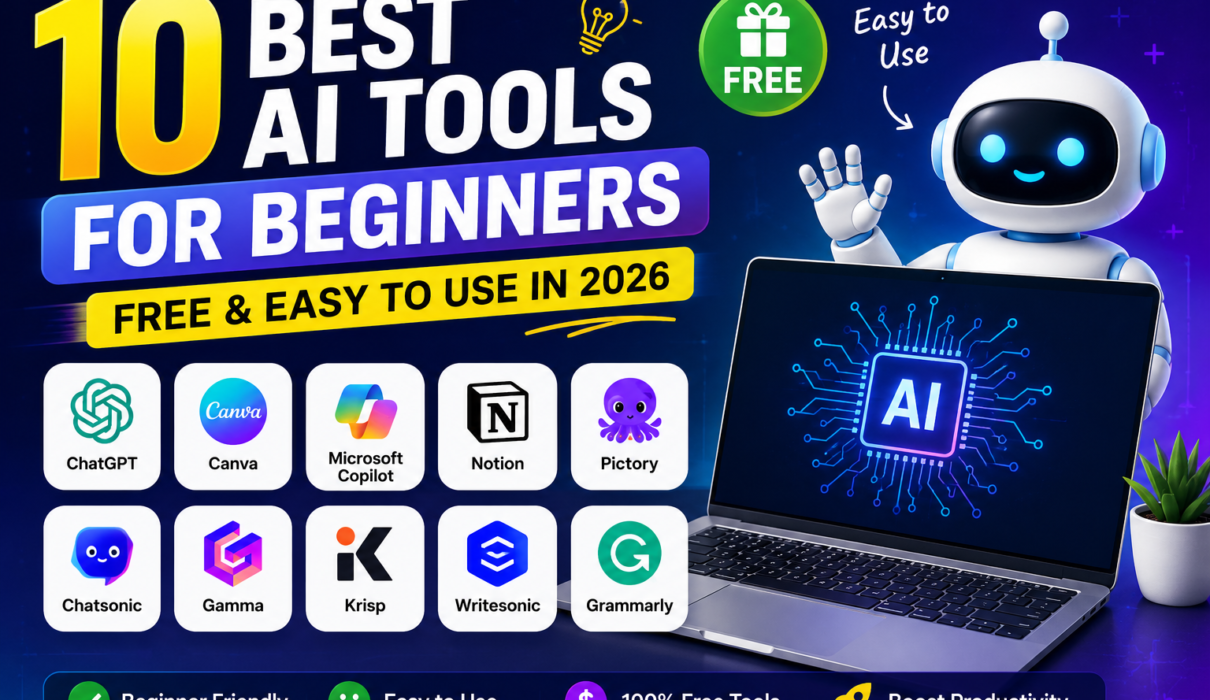
That’s why we’ve created this guide to the 10 best AI tools for beginners in 2026. The tools below were selected based on ease of use, usefulness, accessibility, beginner-friendliness, and the availability of free options.
Whether you’re a student, blogger, freelancer, entrepreneur, teacher, or complete AI beginner, these tools can help you get started without a complicated learning curve.
Note: AI plans and usage limits change frequently. “Free” in this guide means that the tool currently offers a free tier or free access; premium features may require payment.
Best free AI Tools.
What Should Beginners Look for in an AI Tool?
Before choosing an AI tool, consider these five factors:
1. Ease of Use
A good beginner tool should have an intuitive interface and require little technical knowledge.
2. Free Access
A free plan allows you to experiment before deciding whether a paid subscription is worthwhile.
3. Practical Features
The best tools solve real problems rather than simply demonstrating AI technology.
4. Reliability
AI-generated information should always be checked, particularly for important decisions.
5. Privacy
Before entering confidential information, understand how the platform handles your data.
Best AI Tools for Beginners
Quick Comparison: 10 Best AI Tools for Beginners
| AI Tool | Best For | Free Option | Beginner-Friendly |
|---|---|---|---|
| ChatGPT | General AI assistance | Yes | ⭐⭐⭐⭐⭐ |
| Google Gemini | Research & Google ecosystem | Yes | ⭐⭐⭐⭐⭐ |
| Microsoft Copilot | Productivity & web assistance | Yes | ⭐⭐⭐⭐⭐ |
| Perplexity | AI-powered research | Yes | ⭐⭐⭐⭐⭐ |
| Canva | AI design & images | Yes | ⭐⭐⭐⭐⭐ |
| Grammarly | Writing & grammar | Yes | ⭐⭐⭐⭐⭐ |
| Claude | Writing & analysis | Yes | ⭐⭐⭐⭐⭐ |
| NotebookLM | Learning & document research | Yes | ⭐⭐⭐⭐⭐ |
| Adobe Firefly | AI images & creative work | Limited/free access | ⭐⭐⭐⭐☆ |
| GitHub Copilot | Beginner coding assistance | Limited/free options | ⭐⭐⭐⭐☆ |
Best AI Tools for Beginners
1. ChatGPT
Best For: General-purpose AI assistance
ChatGPT is one of the easiest places for beginners to start exploring AI.
You can use it for brainstorming, writing, summarizing, learning, explaining difficult concepts, creating outlines, analyzing information, and many other tasks.
OpenAI states that ChatGPT is available for free, while paid plans provide additional access and capabilities.
What Can Beginners Do With ChatGPT?
- Write emails
- Brainstorm blog ideas
- Explain difficult subjects
- Create study notes
- Summarize text
- Generate outlines
- Practice languages
- Brainstorm business ideas
- Assist with coding
- Improve existing writing
Example Prompt
“Explain machine learning to me like I’m a complete beginner. Give me three simple real-life examples.”
This type of prompt gives beginners an easy way to learn while interacting with AI.
Pros
- Very versatile
- Easy conversational interface
- Useful for learning and productivity
- Free access available
Cons
- AI-generated information can sometimes be inaccurate.
- Free access has usage limitations.
Rating: 5/5
Best For
Almost every beginner who wants to learn how to use AI.
2. Google Gemini
Best For: Research, learning, and Google ecosystem users
Google Gemini is Google’s AI assistant and another excellent starting point for beginners.
Gemini can help users brainstorm ideas, summarize information, draft content, learn concepts, and work with Google’s broader ecosystem.
Useful Tasks
- Research assistance
- Writing
- Brainstorming
- Summarization
- Learning
- Planning
- Coding assistance
For people already using Google services extensively, Gemini can be particularly convenient.
Pros
- Beginner-friendly
- Strong general-purpose assistant
- Useful for learning and research
- Integrates into Google’s broader ecosystem
Cons
- Some advanced capabilities may depend on plan or availability.
- AI responses should still be verified.
Rating: 4.8/5
Best For
Students, researchers, Google users, and beginners who want a general AI assistant.
Best AI Tools for Beginners
3. Microsoft Copilot
Best For: Productivity and everyday assistance
Microsoft Copilot is Microsoft’s AI assistant and can be useful for beginners who want help with writing, brainstorming, research, and productivity.
It can help users formulate ideas, summarize information, draft content, and perform other everyday tasks.
Example Uses
A beginner could ask:
“Create a simple weekly study schedule for learning Artificial Intelligence.”
Or:
“Rewrite this email so it sounds professional and friendly.”
Pros
- Easy to access
- Useful for everyday productivity
- Strong Microsoft ecosystem connection
- Beginner-friendly
Cons
- Features vary depending on Microsoft’s product and subscription.
- Users should verify AI-generated information.
Rating: 4.7/5
Best For
Students, professionals, and Microsoft users.
4. Perplexity
Best For: AI-powered research
Perplexity is particularly useful for beginners who want an AI-assisted research experience.
Unlike a traditional chatbot workflow, Perplexity focuses heavily on answering questions using web-based information and presenting sources alongside responses.
Its current Standard plan is free and includes practically unlimited basic searches, although advanced searches and other features are limited.
What Can You Research?
- Technology
- Business
- Current topics
- Products
- Academic subjects
- General knowledge
- Travel planning
Pros
- Excellent for research
- Sources are presented with answers
- Easy question-and-answer interface
- Free Standard plan
Cons
- Free users have limits on advanced features.
- Sources still need to be evaluated for quality.
Beginner Tip
Don’t simply copy an AI-generated answer. Open the cited sources and verify important claims.
Rating: 4.8/5
Best For
Students, bloggers, researchers, and anyone who wants source-supported AI research.
Best AI Tools for Beginners
5. Canva
Best For: AI-powered design and visual content
Canva is one of the easiest AI-powered design platforms for beginners.
Canva’s Magic Studio brings multiple AI capabilities into its visual design platform. Its tools can assist with generating designs, images, videos, and written content. Canva describes Magic Design as a way to turn a prompt or uploaded media into curated designs, while Magic Media can generate visual content from prompts.
What Can You Create?
- Blog graphics
- Pinterest pins
- Presentations
- Social media posts
- Posters
- Thumbnails
- Marketing materials
- AI-generated images
Why Beginners Love Canva
You don’t need professional graphic-design experience. Its drag-and-drop interface makes it easy to modify templates and AI-generated designs.
Pros
- Extremely beginner-friendly
- Templates + AI tools in one place
- Excellent for social media
- Useful for bloggers
- Free plan available
Cons
- Some advanced AI features require a paid plan.
- AI-generated visuals may require editing.
Rating: 5/5
Best For
Bloggers, Pinterest creators, students, marketers, and small businesses.
6. Grammarly
Best For: Writing, grammar, and communication
Grammarly is an excellent AI tool for anyone who writes regularly.
It can help improve grammar, spelling, clarity, tone, and overall communication. Grammarly currently offers a free plan with writing assistance and 100 AI prompts per month; its paid plans provide additional capabilities.
What Can You Use Grammarly For?
- Blog writing
- Emails
- Essays
- Social media posts
- Business communication
- Grammar correction
- Rewriting
- Tone improvement
Example
Instead of asking Grammarly to write an entire article, you could use it to improve a paragraph you’ve already written.
This makes it particularly useful for beginners who want to maintain their own voice while getting AI assistance.
Pros
- Very easy to use
- Excellent grammar assistance
- Useful across many writing environments
- Free plan available
Cons
- Advanced rewriting and AI features require paid access.
- AI suggestions should still be reviewed.
Rating: 4.8/5
Best For
Students, bloggers, professionals, and anyone who wants better writing.
7. Claude
Best For: Writing, reasoning, and working with long content
Claude is an AI assistant developed by Anthropic.
It is useful for tasks such as writing, brainstorming, summarizing, analyzing documents, explaining concepts, and working through complex questions.
Beginner Uses
- Summarizing long documents
- Writing and editing
- Brainstorming
- Learning
- Analyzing text
- Creating outlines
- Coding assistance
Example Prompt
“Read this article and summarize it into five key lessons that a beginner can understand.”
Pros
- Strong writing capabilities
- Useful for long-form content
- Simple conversational interface
- Good for analysis
Cons
- Usage limits apply to free access.
- Advanced capabilities may require a paid plan.
Rating: 4.8/5
Best For
Writers, students, researchers, and professionals working with large amounts of text.
Best AI Tools for Beginners
8. NotebookLM
Best For: Learning from your own documents
NotebookLM is particularly interesting for students and learners because it allows users to work with their own source material.
Instead of asking an AI general questions, you can provide relevant documents and use the AI to help understand them.
Beginner Uses
- Summarizing study material
- Understanding research papers
- Creating study guides
- Asking questions about documents
- Organizing information
- Preparing for exams
Example
Imagine you have a 50-page PDF about Artificial Intelligence.
Instead of reading the entire document at once, you could use NotebookLM to ask:
“Explain the five most important concepts in this document in beginner-friendly language.”
Pros
- Excellent for learning
- Useful for document-based research
- Beginner-friendly
- Helps organize complex information
Cons
- Most useful when you have relevant source material.
- Results should still be checked against the original documents.
Rating: 4.7/5
Best For
Students, researchers, teachers, and lifelong learners.
9. Adobe Firefly
Best For: AI-generated images and creative design
Adobe Firefly is Adobe’s generative AI platform for creative work.
It can be useful for generating and modifying visual content, particularly for people interested in graphic design, marketing, and creative projects.
Beginner Applications
- Generate images from text
- Create creative concepts
- Experiment with visual styles
- Produce marketing graphics
- Explore design ideas
Why It’s Useful
Beginners can experiment with generative AI without needing to master complicated professional design software first.
Pros
- Strong creative ecosystem
- Useful for image generation
- Professional design integration
- Beginner-accessible interface
Cons
- Free access and credits may be limited.
- Advanced creative workflows can require Adobe subscriptions.
Rating: 4.6/5
Best For
Design beginners, marketers, bloggers, and creative professionals.
Best AI Tools for Beginners
10. GitHub Copilot
Best For: Beginners learning to code
GitHub Copilot is designed to assist developers with coding and can also be useful to beginners who are learning programming.
An AI coding assistant can help explain code, suggest code, generate snippets, and help users understand programming concepts.
Example Prompt
A beginner could ask:
“Explain this Python code line by line and tell me what each function does.”
This can turn coding practice into a more interactive learning experience.
Pros
- Helpful for learning programming
- Code explanations
- Code suggestions
- Productivity improvements
Cons
- Beginners should understand the code rather than blindly copy it.
- AI-generated code can contain bugs or security problems.
Rating: 4.5/5
Best For
Students, aspiring programmers, developers, and technical beginners.
Best free AI Tools.
Best AI Tool for Different Beginner Needs
You don’t need to use all ten tools. Start with the one that matches your immediate goal.
| Your Goal | Recommended Tool |
|---|---|
| General AI assistance | ChatGPT |
| Google-based productivity | Gemini |
| Microsoft productivity | Copilot |
| Research | Perplexity |
| Graphic design | Canva |
| Writing & grammar | Grammarly |
| Long-form writing & analysis | Claude |
| Studying documents | NotebookLM |
| AI image generation | Adobe Firefly |
| Learning to code | GitHub Copilot |
Best AI Tools for Beginners
How Beginners Can Start Using AI
If you’re completely new to AI, don’t try to learn everything at once.
Step 1: Choose One Tool
Start with ChatGPT, Gemini, or another general-purpose assistant.
Step 2: Learn Basic Prompting
Instead of writing:
“Write something about AI.”
Try:
“Explain Artificial Intelligence to a complete beginner in 500 words. Use simple language and give five everyday examples.”
Specific prompts generally make it easier to obtain useful results.
Step 3: Experiment With Real Tasks
Use AI for something you actually need to accomplish.
For example:
- Write an email
- Summarize an article
- Create study notes
- Brainstorm blog topics
- Create a social media post
- Generate an image concept
Step 4: Verify Important Information
AI tools can make mistakes. Even tools designed for research should not be treated as infallible.
OpenAI itself warns that ChatGPT outputs can sometimes be inaccurate or misleading.
Step 5: Gradually Expand
Once you’re comfortable with one tool, add another tool for a specific purpose.
For example:
ChatGPT → Canva → Grammarly → Perplexity
This can create a simple workflow for writing, research, and design.
Best AI Tools for Beginners
Are Free AI Tools Enough for Beginners?
For most beginners, yes.
You don’t need to purchase multiple subscriptions immediately. Free plans are usually sufficient for learning basic AI skills and discovering which tools you actually need.
For example:
- Use ChatGPT for brainstorming.
- Use Perplexity for research.
- Use Grammarly for proofreading.
- Use Canva for graphics.
- Use NotebookLM for studying documents.
Once you understand your workflow, you can decide whether a premium plan provides enough additional value to justify its cost.
Remember that free doesn’t always mean unlimited. Usage caps, available models, features, and credits can change over time.
Best free AI Tools.
Important Tips for Using AI Safely
AI can be incredibly useful, but beginners should develop good habits from the start.
Don’t Share Sensitive Information
Avoid entering passwords, confidential business information, financial credentials, or other sensitive information unless you fully understand the platform’s privacy practices.
Verify Important Facts
AI-generated content can contain errors.
Don’t Copy Blindly
Use AI as an assistant rather than a replacement for your own judgment.
Check Copyright and Usage Rules
If you’re generating images, text, or other content for commercial purposes, review the platform’s current terms and licensing conditions.
Keep Learning
AI changes rapidly. A tool that is best today may not remain the best tomorrow.
Best AI Tools for Beginners
Final Verdict
The best AI tools for beginners aren’t necessarily the tools with the most complicated features. They’re the ones that solve real problems while remaining easy to understand.
If you’re just starting your AI journey in 2026, ChatGPT is an excellent general-purpose starting point. Gemini and Microsoft Copilot are strong alternatives, while Perplexity is particularly useful for research.
For creative work, Canva and Adobe Firefly are excellent choices. Writers can benefit from Grammarly and Claude, students can explore NotebookLM, and aspiring programmers can use GitHub Copilot as a learning assistant.
The most important thing isn’t to use every AI tool available. Choose one, practice regularly, learn how to write good prompts, verify the results, and gradually build your own AI workflow.
AI becomes much more useful when you learn how to combine its capabilities with your own knowledge, creativity, and critical thinking.
Best free AI Tools.
Frequently Asked Questions
What is the best AI tool for beginners in 2026?
ChatGPT is an excellent overall starting point because it can help with writing, learning, brainstorming, summarization, and many other everyday tasks.
What are the best free AI tools for beginners?
Good options include ChatGPT, Gemini, Microsoft Copilot, Perplexity, Canva, Grammarly, Claude, and NotebookLM. However, free features and usage limits vary by platform.
Can I learn AI without coding?
Yes. You can learn how to use AI tools effectively without programming knowledge. Coding becomes more important if you want to build AI applications or pursue a technical AI career.
Which AI tool is best for students?
Perplexity can help with research, NotebookLM can help with source-based learning, and ChatGPT or Gemini can help explain difficult concepts.
Which AI tool is best for writing?
ChatGPT and Claude are useful for drafting and brainstorming, while Grammarly is particularly useful for proofreading, rewriting, grammar, and communication.
Which AI tool is best for creating images?
Canva and Adobe Firefly are accessible choices for beginners interested in AI-generated visual content.
Best AI Tools for Beginners
Suggested Internal Posts
- [What Is Artificial Intelligence (AI)? A Complete Beginner’s Guide]
- [Final Guide – Your First Step into Artificial Intelligence (Complete Beginner’s Roadmap 2026)]
- [Best AI Writing Tools Compared (2026)]
- [Best AI Image Generators Ranked (2026)]
- [What Is ChatGPT and How Does It Work? The Complete Beginner’s Guide (2026)]
- [Free Resources to Learn Artificial Intelligence]
- [Skills You Need to Learn Artificial Intelligence]
- [Artificial Intelligence (AI) in Daily Life – A Complete Guide]
- [Ultimate Benefits of Artificial Intelligence for Beginners]
- [Common Myths About Artificial Intelligence (And the Truth)]
Best free AI Tools.
Recommended Outbound Links
For credibility, use authoritative first-party sources rather than linking to numerous AI-tool roundup websites.
- OpenAI / ChatGPT
- Google Gemini
- Microsoft Copilot
- Perplexity
- Canva
- Grammarly
- Claude by Anthropic
- Google NotebookLM
- Adobe Firefly
- GitHub Copilot
For example, you can link the Perplexity name in the research section to its official site and the Canva name in the design section to Canva’s official site. Canva’s own documentation confirms that its Magic Studio includes AI-powered design, image, video, and writing features.
Best free AI Tools.
Call to Action
Want more guides like this?
Follow NextGenAIToolNest for simple tutorials, AI tools, and ways to earn using automation
7 Comments