
 By
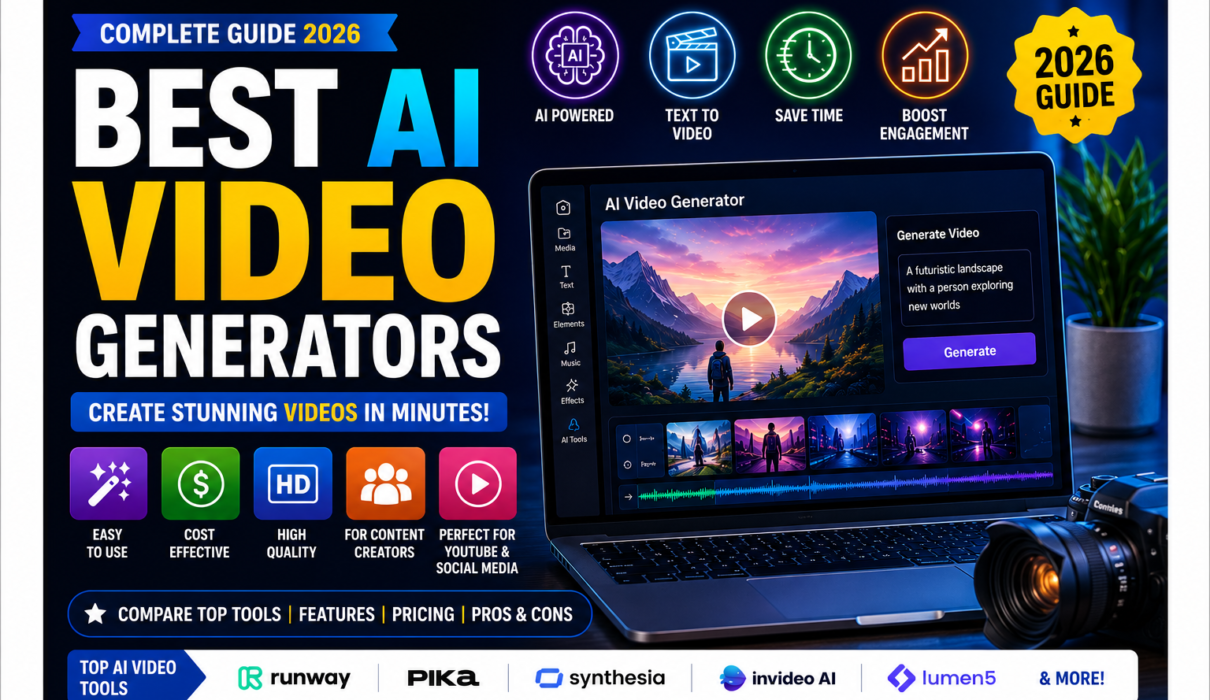
By Best AI Video Generators in 2026
Video has become one of the most powerful forms of online content. Whether you’re creating YouTube videos, Instagram Reels, advertisements, educational lessons, product demonstrations, or blog promotions, video can help you communicate ideas more effectively.
However, traditional video production can require cameras, lighting, microphones, actors, editing software, and considerable time.
AI video generators are changing that process.
Modern AI video tools can transform text prompts, images, scripts, and other inputs into video clips. Some specialize in cinematic text-to-video generation, while others focus on AI presenters, marketing videos, educational content, or social media production.
In this guide, we’ll compare the best AI video generators in 2026, explain what each tool does best, discuss their advantages and limitations, and help you choose the right AI video tool for your needs.
Note: AI models, pricing, free credits, features, and usage limits change frequently. Check each tool’s official website before purchasing a subscription or using generated content commercially.
What Is an AI Video Generator?
An AI video generator is software that uses artificial intelligence to create or transform video content from instructions or other inputs.
Depending on the platform, you might provide:
- A text prompt
- A script
- An image
- Existing video
- Audio
- A presentation
- A product description
The AI can then generate video clips, scenes, animations, presenters, voiceovers, captions, or other elements.
For example, instead of filming a scene of a futuristic city, you might enter:
“A cinematic aerial shot of a futuristic city at sunset, flying vehicles moving between skyscrapers, realistic lighting, dramatic camera movement.”
An AI video generator can turn that description into a short video sequence.
Best AI video generators.
Why Are AI Video Generators Becoming Popular?
Traditional video production can be expensive and time-consuming. AI reduces some of the barriers by allowing creators to generate initial visuals and complete certain production tasks much faster.
Major advantages include:
- Faster video production
- Lower production costs
- No camera required for some workflows
- Easy experimentation
- Text-to-video generation
- Image-to-video animation
- AI avatars
- Automated voiceovers
- Multilingual video creation
- Easier social media content production
However, AI-generated video isn’t perfect. Results can contain visual inconsistencies, strange movements, inaccurate details, or other artifacts. Human review and editing remain important.
Quick Comparison: Best AI Video Generators
| AI Video Generator | Best For | Beginner-Friendly | Free/Trial Access |
|---|---|---|---|
| Runway | Cinematic & creative video | ⭐⭐⭐⭐☆ | Yes/varies |
| Google Veo | High-quality generative video | ⭐⭐⭐⭐☆ | Availability varies |
| OpenAI Sora | Creative text-to-video | ⭐⭐⭐⭐⭐ | Access depends on plan |
| Adobe Firefly | Creative & commercial workflows | ⭐⭐⭐⭐⭐ | Limited/free access |
| HeyGen | AI avatars & presenters | ⭐⭐⭐⭐⭐ | Yes |
| Synthesia | Training & business videos | ⭐⭐⭐⭐⭐ | Limited/free options |
| Kling AI | Cinematic AI video | ⭐⭐⭐⭐☆ | Varies |
| Canva AI Video | Social media & simple designs | ⭐⭐⭐⭐⭐ | Yes/varies |
| Pika | Creative short-form videos | ⭐⭐⭐⭐⭐ | Varies |
| Luma | Creative video generation | ⭐⭐⭐⭐☆ | Varies |
AI video generators 2026.
1. Runway
Best For: Cinematic AI video and creative professionals
Runway is one of the most established names in generative video. It is particularly attractive to filmmakers, designers, marketers, and creators who want more control over AI-generated visuals.
Runway’s Gen-4 supports video generation using an input image and text prompt, with 5- or 10-second outputs. Its documentation also describes different aspect ratios and options for continuing the workflow through editing and upscaling. (Runway)
Free AI video generators.
Key Features
- Image-to-video generation
- Text-guided motion
- Cinematic visuals
- Video editing
- Upscaling
- Multiple aspect ratios
- Creative effects
Pros
✔ Strong creative control
✔ Excellent for cinematic concepts
✔ Useful for professional workflows
✔ Multiple creative tools in one platform
Cons
- Advanced generation can consume credits quickly.
- Some features may require a paid plan.
- Beginners may need time to learn advanced workflows.
Best For
Filmmakers, content creators, designers, marketers, and AI video enthusiasts.
Overall Rating: 4.8/5
2. Google Veo
Best For: High-quality generative video
Google’s Veo family represents Google’s work in advanced generative video. Google’s AI video technology is designed to create video from prompts and support increasingly sophisticated visual generation.
Veo is particularly interesting for creators who want to experiment with realistic motion, cinematic scenes, and prompt-driven video creation.
Potential Uses
- Cinematic scenes
- Concept videos
- Social media clips
- Product concepts
- Creative storytelling
- Visual experimentation
Pros
✔ Advanced generative-video technology
✔ Strong ecosystem support
✔ Useful for creative experimentation
✔ Suitable for realistic and cinematic concepts
Cons
- Access and availability can depend on Google’s products and plans.
- Generation limits may apply.
- AI-generated footage still requires quality control.
Best For
Creators interested in cutting-edge generative video.
Overall Rating: 4.8/5
3. OpenAI Sora
Best For: Creative text-to-video generation
OpenAI’s Sora is designed to generate video from text prompts. OpenAI describes Sora as a text-to-video model capable of generating videos while maintaining visual quality and following prompts. (OpenAI)
Sora is particularly interesting for people who want to describe a scene rather than manually construct every visual element.
Example Prompt
“A golden retriever running through a flower field at sunrise, cinematic photography, gentle camera tracking, soft morning light.”
The goal is to translate a textual description into a visually coherent sequence.
Key Uses
- Storytelling
- Concept videos
- Creative experiments
- Social media content
- Visual brainstorming
- Short cinematic sequences
Pros
✔ Natural-language workflow
✔ Excellent for creative experimentation
✔ Easy concept generation
✔ Powerful visual storytelling potential
Cons
- Availability depends on OpenAI’s current products and access.
- Generated footage may still contain inconsistencies.
- Commercial and usage terms should be checked before professional use.
Best For
Creators, storytellers, marketers, and beginners experimenting with generative video.
Overall Rating: 4.8/5
4. Adobe Firefly
Best For: Creative professionals and commercial design workflows
Adobe Firefly is particularly useful for creators who want AI generation integrated with a broader creative workflow.
Adobe’s current Firefly video generator supports text-to-video and image-to-video generation. Its workspace can also incorporate partner models, including models from Google Veo and Runway. Adobe says video generated with its Firefly model is designed to be commercially safe. (Adobe)
Key Features
- Text-to-video
- Image-to-video
- Generative video editing
- Video extensions
- Creative effects
- Audio and sound effects
- Integration with Adobe’s creative ecosystem
Pros
✔ Excellent creative workflow
✔ Text-to-video and image-to-video
✔ Strong editing ecosystem
✔ Useful for professional designers
✔ Commercial-use positioning for Firefly-generated video
Cons
- Some advanced features require paid access.
- Adobe’s broader ecosystem can be overwhelming for complete beginners.
Best For
Designers, marketers, agencies, bloggers, and creative professionals.
Overall Rating: 4.8/5
5. HeyGen
Best For: AI avatars, presenters, and business videos
HeyGen takes a different approach from purely cinematic video generators. Instead of focusing only on generating fictional scenes, it specializes heavily in presenter-led videos, avatars, voiceovers, translation, and business communication.
HeyGen says users can create videos from scripts using AI avatars and voices, with applications including marketing, training, education, and social media. (HeyGen)
What Can You Create?
- Training videos
- Explainer videos
- Marketing videos
- Social media content
- Product presentations
- Educational lessons
- Sales videos
- Multilingual videos
Key Features
- AI avatars
- Text-to-video
- Voice generation
- Lip synchronization
- Translation
- Captions
- Digital twins
HeyGen also offers image-to-video and audio-to-video workflows. (HeyGen)
Pros
✔ Extremely beginner-friendly
✔ No camera required for many workflows
✔ Excellent AI presenters
✔ Useful for businesses
✔ Strong multilingual capabilities
Cons
- Avatar-based videos aren’t ideal for every creative project.
- Free usage may have limitations.
Best For
Businesses, educators, marketers, YouTubers, trainers, and social media creators.
Overall Rating: 4.9/5
6. Synthesia
Best For: Business training and educational videos
Synthesia is another leading AI avatar video platform.
Rather than requiring a traditional camera crew, Synthesia allows users to create videos from scripts and other source material using AI avatars and voices.
Synthesia says users can turn text, PowerPoint files, and PDFs into videos, with applications including training, onboarding, sales enablement, customer education, and internal communication. (Synthesia Knowledge Base)
Key Features
- AI avatars
- AI voices
- Script-to-video
- Translation and dubbing
- Templates
- Training content
- Interactive video options
Pros
✔ Excellent for corporate videos
✔ Professional AI presenters
✔ Useful for training and education
✔ Supports localization
✔ Easy browser-based workflow
Cons
- Better suited to presenter-led videos than cinematic filmmaking.
- Advanced business features may require paid plans.
Best For
Companies, educators, HR teams, trainers, and business content creators.
Overall Rating: 4.8/5
7. Kling AI
Best For: Cinematic and realistic AI video
Kling AI has become a popular option among creators interested in AI-generated cinematic footage and image-to-video generation.
It is particularly useful for users who want visually impressive short clips and creative sequences.
Potential Uses
- Character animation
- Product visuals
- Cinematic scenes
- Social media clips
- Image animation
- Creative storytelling
Pros
✔ Strong visual generation
✔ Good for cinematic experimentation
✔ Useful image-to-video capabilities
✔ Suitable for creators
Cons
- Results can vary depending on prompts and source images.
- Usage limits and pricing can change.
- Some advanced workflows may require experimentation.
Overall Rating: 4.7/5
Best For
AI artists, social creators, filmmakers, and visual storytellers.
8. Canva AI Video
Best For: Beginners and social media creators
Canva is already one of the most accessible design platforms for beginners, and its AI capabilities make it useful for creating video content as well.
Canva is particularly useful when you want to combine AI-generated elements with templates, text, graphics, music, and traditional editing tools.
What Can You Create?
- Instagram Reels
- YouTube Shorts
- Presentations
- Advertisements
- Pinterest videos
- Promotional videos
- Educational content
Pros
✔ Very easy to learn
✔ Templates simplify video creation
✔ Excellent for social media
✔ Combines AI and traditional editing
✔ Useful for beginners
Cons
- Less specialized for advanced cinematic generation.
- Some AI features may require premium access.
Overall Rating: 4.7/5
Best For
Beginners, bloggers, social media managers, students, and small businesses.
9. Pika
Best For: Creative short-form AI videos
Pika focuses on creative AI video generation and transformation. It is especially appealing to social media creators who want to experiment with unusual visual effects and short AI-generated clips.
Potential Uses
- Short social videos
- Image animation
- Creative effects
- Memes
- Experimental content
- Visual storytelling
Pros
✔ Easy to experiment with
✔ Creative effects
✔ Good for short-form content
✔ Beginner-friendly
Cons
- Best suited to shorter creative projects.
- Free usage and advanced features can be limited.
Overall Rating: 4.6/5
Best For
Social media creators and beginners experimenting with AI video.
10. Luma
Best For: Creative and cinematic video generation
Luma’s AI video tools are designed for creators who want to generate and manipulate visual content using AI.
It can be useful for turning creative concepts into moving visuals and experimenting with cinematic sequences.
Potential Uses
- Image-to-video
- Creative storytelling
- Cinematic concepts
- Product visualization
- Social media content
Pros
✔ Strong creative potential
✔ Useful for visual experimentation
✔ Good for image-to-video workflows
✔ Suitable for creators
Cons
- AI-generated results can require multiple attempts.
- Free credits and pricing can change.
Overall Rating: 4.6/5
Best For
Creative professionals, designers, filmmakers, and AI enthusiasts.
Best AI video generators.
Best AI Video Generator by Use Case
Choosing the “best” AI video generator depends on what you’re trying to create.
| Use Case | Recommended Tool |
|---|---|
| Best Overall | Runway |
| Best for Cinematic Video | Runway / Google Veo |
| Best for Creative Text-to-Video | Sora |
| Best for Professional Design | Adobe Firefly |
| Best AI Avatar Generator | HeyGen |
| Best for Training Videos | Synthesia |
| Best for Beginners | Canva |
| Best for Social Media | Canva / Pika |
| Best for AI Artists | Kling AI |
| Best for Creative Experimentation | Luma |
Best AI video tool.
AI Video Generators vs Traditional Video Production
| Traditional Video | AI Video Generation |
|---|---|
| Camera often required | May not require a camera |
| Actors may be required | AI avatars or generated characters |
| Manual editing | AI-assisted workflows |
| Production can take days | Some clips can be generated quickly |
| Higher production costs | Potentially lower initial costs |
| Physical locations may be needed | Virtual environments can be generated |
| Extensive equipment | Primarily software-based |
Best AI video tools.
AI doesn’t completely replace traditional filmmaking. Instead, it adds another production method.
Professional creators can combine AI-generated footage with real-world video, animation, stock footage, voiceovers, and traditional editing.
Best AI video generators.
How to Choose the Best AI Video Generator
Before subscribing to an AI video platform, ask yourself these questions.
1. What Type of Video Do You Need?
If you need a cinematic scene, choose a generative video model such as Runway or Sora.
If you need a talking presenter, HeyGen or Synthesia may be more suitable.
If you need a social media design, Canva could be the simplest option.
2. Do You Need Text-to-Video or Image-to-Video?
Text-to-video creates video based primarily on your written description.
Image-to-video starts with an existing image and adds movement.
Image-to-video can be particularly useful for bloggers and Pinterest creators who already have graphics and want to turn them into short videos.
3. Do You Need an AI Avatar?
If you don’t want to appear on camera, an AI avatar can present your script.
Tools such as HeyGen and Synthesia are particularly suitable for this type of content.
4. Consider Video Length
Some generative models specialize in short clips. If you need a 10-minute educational video, an avatar platform or AI-assisted editor may be more practical than a cinematic text-to-video model.
5. Check Commercial Usage Rights
This is extremely important for bloggers, businesses, advertisers, and YouTubers.
Before using generated footage commercially, check:
- Commercial-use terms
- Copyright rules
- Model-specific restrictions
- Music licensing
- Voice rights
- Avatar permissions
- Brand restrictions
Don’t assume that every AI-generated asset automatically has identical commercial rights.
How Beginners Can Create an AI Video
Creating your first AI video doesn’t need to be complicated.
Step 1: Decide on Your Goal
For example:
“I want to create a 30-second video explaining Artificial Intelligence.”
Step 2: Write a Short Script
Keep the message simple and divide it into scenes.
Step 3: Select Your Tool
Choose:
- Canva for simple social videos
- HeyGen for presenter videos
- Runway for cinematic scenes
- Firefly for creative workflows
Step 4: Create Your Visuals
Use text prompts or images to generate your scenes.
Step 5: Add Voice and Music
Choose an appropriate narration style and background music while checking licensing terms.
Step 6: Edit and Review
Check:
- Visual consistency
- Pronunciation
- Captions
- Timing
- Facts
- Branding
Step 7: Export
Choose the correct format for YouTube, Instagram, TikTok, Pinterest, or your website.
Best AI video generators.
Tips for Better AI Video Prompts
A good prompt can significantly improve your results.
Instead of:
“A man walking.”
Try:
“A young professional walking through a modern business district at sunrise, cinematic camera tracking from the side, realistic lighting, natural movement, shallow depth of field, professional commercial style.”
For Runway’s Gen-4, its documentation recommends using simple, direct prompts focused on describing the desired motion and avoiding negative phrasing. (Runway)
Include details such as:
- Subject
- Environment
- Camera movement
- Lighting
- Style
- Action
- Mood
- Composition
- Aspect ratio
Best AI video generators.
Advantages of AI Video Generators
Faster Production
AI can reduce the time required to create certain types of video content.
Lower Barrier to Entry
You can experiment without owning a camera or professional editing setup.
More Creativity
Creators can quickly test different ideas and visual concepts.
Easy Content Repurposing
A blog post can become a script, then a narrated video, then short social-media clips.
Personalization
AI avatars and automated workflows can make it easier to produce variations for different audiences.
Limitations of AI Video Generators
AI video technology is impressive, but it isn’t perfect.
Common limitations include:
- Inconsistent characters
- Strange hand or body movements
- Incorrect text
- Visual artifacts
- Limited control over complex scenes
- Short generation durations
- Credit-based pricing
- Occasional inaccurate outputs
For important projects, always review the final video carefully.
Frequently Asked Questions
What is the best AI video generator in 2026?
There isn’t one universal winner. Runway is an excellent choice for cinematic and creative video, HeyGen is strong for AI presenters, Synthesia is excellent for business training, and Canva is particularly beginner-friendly.
What is the best free AI video generator?
Several platforms provide free access, trials, or limited free credits. However, free limits change frequently. Canva, HeyGen, and several generative-video platforms can be useful starting points, depending on the type of video you need.
Can AI generate videos from text?
Yes. Text-to-video is one of the major applications of generative AI. Tools such as Sora, Runway, Firefly, and other platforms can generate video based on textual descriptions.
Can AI create YouTube videos?
Yes. AI can help create scripts, visuals, voiceovers, avatars, captions, and editing elements for YouTube videos. However, creators should review AI-generated content for accuracy, originality, quality, and licensing.
Can AI create videos without showing my face?
Yes. AI avatar platforms such as HeyGen and Synthesia can create presenter-led videos without requiring you to record yourself for every video.
Are AI-generated videos copyright-free?
Not necessarily. Copyright and licensing depend on the tool, input material, output, jurisdiction, and intended use. Always review the platform’s current terms before using AI-generated videos commercially.
Final Verdict
The rapid development of AI video technology has made video creation more accessible than ever.
For cinematic AI video, Runway and Google Veo are compelling options. For creative text-to-video, Sora is worth exploring. Adobe Firefly is particularly attractive for creators who want AI generation within a professional design ecosystem.
If you want an AI presenter, HeyGen is one of the strongest choices, while Synthesia is particularly well suited to training, education, and corporate communication.
For beginners who simply want to make attractive social media videos without a complicated workflow, Canva remains an excellent starting point.
The best strategy isn’t necessarily to subscribe to every AI video platform. Start with one tool that matches your goal, experiment with its free or trial options, learn how to write effective prompts, and build your workflow from there.
AI video generators are powerful assistants—but the strongest results still come from combining AI with human creativity, storytelling, editing, fact-checking, and good judgment.
Suggested Posts
- What Is Artificial Intelligence (AI)? A Complete Beginner’s Guide
- 10 Best AI Tools for Beginners (Free & Easy to Use in 2026)
- 25 Best AI Tools for Beginners in 2026
- Best AI Writing Tools Compared (2026)
- Best AI Image Generators Ranked (2026)
- What Is ChatGPT and How Does It Work? The Complete Beginner’s Guide (2026)
- Free Resources to Learn Artificial Intelligence
- Skills You Need to Learn Artificial Intelligence
- Artificial Intelligence (AI) in Daily Life – A Complete Guide
- Ultimate Benefits of Artificial Intelligence for Beginners
- Common Myths About Artificial Intelligence (And the Truth)
Recommended Outbound Links
- Runway official website
- OpenAI Sora
- Adobe Firefly AI Video Generator
- HeyGen AI Video Generator
- Synthesia AI Video Generator
- Canva
These links give readers access to the tools discussed and provide first-party information about their current features.
Call to Action
Hope you liked our Blog: Best AI Video Generators in 2026: Top Tools Compared for Beginners & Creators
For more related guides, do follow us on NextGenAIToolNest.
1 Comment