
 By
By Best AI Productivity Tools in 2026
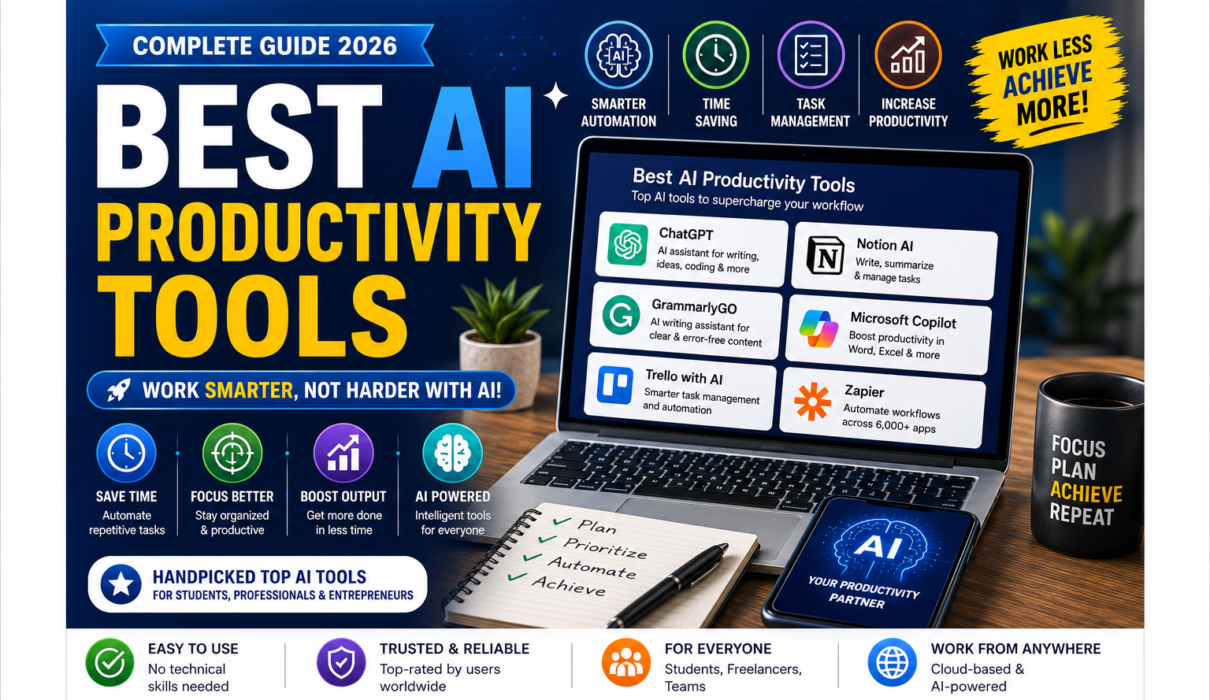
Productivity isn’t simply about working harder. It’s about completing important tasks efficiently, reducing repetitive work, and spending more time on activities that actually matter.
This is where AI productivity tools can make a significant difference.
Artificial Intelligence can now help people write emails, summarize meetings, organize notes, research topics, manage projects, automate repetitive tasks, create presentations, analyze information, and plan their work.
The good news is that you don’t need to be a programmer or AI expert to use many of these tools.
In this guide, we’ll explore the best AI productivity tools in 2026, what each tool is best for, its advantages and limitations, and how beginners can build an effective AI-powered productivity workflow.
Whether you’re a student, blogger, freelancer, entrepreneur, employee, teacher, or business owner, there’s likely an AI productivity tool that can help you save time.
Note: AI features, pricing, free plans, usage limits, and integrations can change frequently. Check each tool’s official website before subscribing or relying on a particular feature.
What Are AI Productivity Tools?
AI productivity tools are applications that use Artificial Intelligence to help users complete tasks more efficiently.
They can assist with activities such as:
- Writing and editing
- Email management
- Research
- Meeting summaries
- Task management
- Scheduling
- Note-taking
- Project management
- Presentations
- Data analysis
- Automation
- Brainstorming
Instead of replacing your entire workflow, AI usually works best as an assistant that handles repetitive or time-consuming parts of a task.
For example, rather than spending 30 minutes turning meeting notes into a summary, an AI tool may create a first draft in seconds. You can then review and improve it.
Best AI Productivity Tools.
Why Use AI for Productivity?
The biggest advantage of AI productivity software is the ability to reduce the amount of time spent on repetitive tasks.
Key benefits include:
- ⏱️ Save time
- ✍️ Write faster
- 📋 Organize information
- 🔎 Research more efficiently
- 🧠 Brainstorm ideas
- 📅 Manage schedules
- 🤝 Improve collaboration
- ⚙️ Automate repetitive workflows
- 📊 Analyze information
- 🎯 Focus on high-value work
However, AI isn’t automatically productive.
If you use AI for every small decision, spend too much time correcting its mistakes, or constantly experiment with new tools, productivity can actually decrease.
The goal should be using AI strategically.
Quick Comparison: Best AI Productivity Tools
| Tool | Best For | Beginner-Friendly | Free Option |
|---|---|---|---|
| ChatGPT | General productivity | ⭐⭐⭐⭐⭐ | Yes |
| Google Gemini | Research & Google workflows | ⭐⭐⭐⭐⭐ | Yes |
| Microsoft Copilot | Office productivity | ⭐⭐⭐⭐⭐ | Yes/varies |
| Notion AI | Notes & project organization | ⭐⭐⭐⭐⭐ | Limited/varies |
| Grammarly | Writing & communication | ⭐⭐⭐⭐⭐ | Yes |
| Perplexity | Research | ⭐⭐⭐⭐⭐ | Yes |
| Otter.ai | Meeting transcription | ⭐⭐⭐⭐⭐ | Yes |
| Zapier | Workflow automation | ⭐⭐⭐⭐☆ | Yes/limited |
| Canva | Presentations & visual content | ⭐⭐⭐⭐⭐ | Yes |
| ClickUp | Project & task management | ⭐⭐⭐⭐☆ | Yes/varies |
AI Productivity Apps.
1. ChatGPT
Best For: All-purpose AI productivity
ChatGPT is one of the most versatile AI productivity tools available to beginners.
Although many people think of ChatGPT primarily as a chatbot, it can support a wide variety of productivity tasks.
You can use it to:
- Draft emails
- Summarize documents
- Brainstorm ideas
- Create task lists
- Write reports
- Generate meeting agendas
- Explain complicated subjects
- Create project outlines
- Analyze information
- Assist with coding
Example Productivity Prompt
Instead of asking:
“Write an email.”
Try:
“Write a concise, professional email to a client explaining that the project deadline has moved by three days. Keep the tone positive and solution-focused.”
The second prompt gives the AI useful context and constraints.
Pros
- Extremely versatile
- Easy conversational interface
- Useful for almost any profession
- Excellent for brainstorming and writing
- Free access available
Cons
- AI can make factual errors.
- You need to review important outputs.
- Some advanced features depend on plan and availability.
Best for: Almost anyone who wants an AI productivity assistant.
Best AI Productivity Tools.
2. Google Gemini
Best For: Research, brainstorming, and Google users
Google Gemini is Google’s AI assistant and can be useful for everyday productivity.
It can help users brainstorm ideas, summarize information, draft content, learn concepts, and work with information within Google’s ecosystem.
Productivity Uses
- Drafting emails
- Brainstorming
- Summarizing
- Research assistance
- Planning
- Learning
- Content creation
- Data and document-related tasks
Example
A student could ask:
“Create a two-week study plan for my Artificial Intelligence exam. Include daily learning objectives and revision sessions.”
A professional could ask:
“Turn these notes into a concise project update for my team.”
Pros
- Beginner-friendly
- Strong general-purpose assistant
- Useful for Google users
- Good for planning and research
Cons
- Features vary depending on account and plan.
- Important information should be verified.
Best for: Students, professionals, and people already using Google services.
Best AI Productivity Tools.
3. Microsoft Copilot
Best For: Microsoft-based productivity
Microsoft Copilot is Microsoft’s AI assistant and is particularly relevant to people working with Microsoft products and services.
Depending on the version and subscription, Copilot can assist with writing, summarization, research, brainstorming, and productivity workflows.
How It Can Help
- Draft documents
- Summarize information
- Brainstorm ideas
- Create presentations
- Assist with spreadsheets
- Draft emails
- Analyze information
Why It’s Useful
If your daily workflow already revolves around Microsoft products, AI assistance integrated into that environment can reduce the need to switch between different applications.
Pros
- Strong Microsoft ecosystem
- Useful for workplace productivity
- Beginner-friendly
- Good for everyday tasks
Cons
- Feature availability varies.
- Some advanced functionality requires eligible Microsoft subscriptions.
Best for: Microsoft 365 users, professionals, and businesses.
Best AI Productivity Tools.
4. Notion AI
Best For: Notes, knowledge management, and project organization
Notion combines notes, databases, documents, task management, and project organization.
Its AI capabilities can help users work with information inside their workspace.
Productivity Uses
- Summarize notes
- Rewrite text
- Generate ideas
- Create project plans
- Organize information
- Extract key points
- Create task lists
- Improve documentation
Imagine finishing a team meeting and having a collection of unorganized notes.
Instead of manually rewriting everything, AI can help turn the information into structured summaries and action items.
Pros
- Excellent workspace organization
- Combines notes and project management
- Flexible
- Useful for individuals and teams
Cons
- Notion has a learning curve because it offers many features.
- AI availability depends on the current plan.
Best for: Students, creators, project managers, and teams.
Best AI Productivity Tools.
5. Grammarly
Best For: Writing and communication
Grammarly is one of the most accessible AI-powered writing assistants.
It can help users improve grammar, clarity, tone, spelling, and overall communication.
Productivity Applications
Use Grammarly to:
- Improve emails
- Proofread articles
- Rewrite sentences
- Adjust tone
- Improve business communication
- Correct grammar
- Make writing clearer
For example, you could write a rough email yourself and ask Grammarly to make it more concise and professional.
This approach can be more effective than asking AI to write everything from scratch.
Pros
- Very easy to use
- Excellent writing assistance
- Useful for professionals and students
- Free option available
Cons
- Some advanced AI features require paid access.
- Suggestions should still be reviewed.
Best for: Writers, students, professionals, bloggers, and business users.
Best AI Productivity Tools.
6. Perplexity
Best For: Fast AI-assisted research
Perplexity is particularly useful when research is an important part of your work.
Rather than searching through numerous pages manually, you can ask a question and receive an AI-generated response with supporting sources.
Productivity Uses
- Research topics
- Compare concepts
- Find sources
- Explore new subjects
- Prepare reports
- Understand unfamiliar topics
- Conduct preliminary research
Example
“Compare the advantages and disadvantages of remote work for small businesses. Include reliable sources.”
Perplexity can help you quickly establish a starting point for your research.
Important Tip
AI-powered research should be treated as a starting point rather than a substitute for checking original sources.
Pros
- Fast research
- Source-oriented responses
- Simple interface
- Useful for students and professionals
Cons
- Sources should still be checked.
- Advanced functionality may have usage limits.
Best for: Researchers, students, writers, and professionals.
Best AI Productivity Tools.
7. Otter.ai
Best For: Meetings and transcription
Otter.ai focuses on AI-powered meeting transcription and note-taking.
Instead of manually taking notes during an entire meeting, users can use an AI transcription service to capture conversations and help identify important information.
Productivity Benefits
- Automatic transcription
- Meeting summaries
- Action items
- Searchable conversations
- Easier meeting documentation
Example Workflow
Before meeting: Prepare agenda.
During meeting: Record/transcribe conversation.
After meeting: Review summary and action items.
This can significantly reduce the administrative work associated with meetings.
Pros
- Saves note-taking time
- Useful for meetings
- Searchable transcripts
- Helps identify action items
Cons
- Transcription accuracy can vary.
- Users should consider privacy and consent requirements when recording meetings.
Best for: Teams, students, journalists, researchers, and professionals.
8. Zapier
Best For: AI-powered automation
Zapier is useful when you want different applications to work together automatically.
Instead of manually moving information between applications, you can create automated workflows.
Example
Imagine receiving a new lead through a form.
A workflow could potentially:
New form submission → Add lead to CRM → Send notification → Create task → Update spreadsheet
AI features can add intelligence to certain workflows, depending on the applications and automation setup.
Productivity Benefits
- Automates repetitive processes
- Connects applications
- Reduces manual data entry
- Creates repeatable workflows
- Saves administrative time
Pros
- Powerful automation
- Supports many applications
- Useful for businesses
- Can eliminate repetitive tasks
Cons
- More complicated than simple AI chatbots.
- Advanced workflows can require paid plans.
Best for: Entrepreneurs, marketers, businesses, and advanced productivity users.
Best AI Productivity Tools.
9. Canva
Best For: Presentations, visual content, and marketing
Canva is a popular design platform that also incorporates AI-powered features.
For productivity, Canva can reduce the time required to create presentations, social media graphics, posters, documents, and other visual content.
Productivity Uses
- Presentations
- Social media graphics
- Marketing materials
- Blog images
- Infographics
- Posters
- Visual reports
Canva’s Magic Studio includes AI-powered tools designed to help users generate and edit visual content more efficiently.
Pros
- Extremely beginner-friendly
- Large template library
- AI-assisted design
- Useful for businesses and creators
- Free plan available
Cons
- Some features require premium access.
- AI-generated designs may need manual editing.
Best for: Bloggers, marketers, students, creators, and small businesses.
10. ClickUp
Best For: Project and task management
ClickUp combines task management, project planning, documents, collaboration, and AI-assisted productivity features.
For teams, the ability to connect tasks, documents, deadlines, and communication in one workspace can make project management easier.
Productivity Uses
- Create tasks
- Summarize project information
- Generate action items
- Draft documents
- Manage deadlines
- Organize projects
- Collaborate with teams
Pros
- Powerful project management
- Useful for teams
- Combines multiple productivity features
- AI-assisted workflows
Cons
- Can feel overwhelming to complete beginners.
- Some advanced AI functionality may require paid access.
Best for: Teams, project managers, startups, and businesses.
Best AI Productivity Tools.
Best AI Productivity Tool for Different Needs
The “best” tool depends on your specific workflow.
| Need | Recommended Tool |
|---|---|
| General productivity | ChatGPT |
| Google ecosystem | Gemini |
| Microsoft ecosystem | Copilot |
| Notes & knowledge management | Notion AI |
| Writing | Grammarly |
| Research | Perplexity |
| Meeting notes | Otter.ai |
| Automation | Zapier |
| Presentations & design | Canva |
| Project management | ClickUp |
Best AI Tools for Productivity.
Best Free AI Productivity Tools
If you’re a beginner, you don’t need to purchase ten subscriptions.
Start with free options and identify which tools actually save you time.
Recommended Starting Combination
ChatGPT + Grammarly + Canva + Perplexity
This combination can cover:
- Brainstorming
- Writing
- Research
- Editing
- Visual content
For students, you might add NotebookLM for document-based learning.
For businesses, Zapier can become useful once you want to automate repetitive workflows.
Best AI Productivity Tools.
How to Build an AI-Powered Productivity Workflow
Using AI effectively is less about having dozens of tools and more about creating a simple workflow.
Step 1: Identify Your Biggest Time-Wasting Task
Ask yourself:
“What repetitive task takes up the most time every week?”
It could be:
- Writing emails
- Taking meeting notes
- Creating reports
- Research
- Data entry
- Social media creation
- Project updates
Start there.
Step 2: Choose One AI Tool
Don’t install ten tools at once.
For example:
Writing problem → Grammarly
Research problem → Perplexity
Meeting problem → Otter
Automation problem → Zapier
Step 3: Create Reusable Prompts
If you perform the same task repeatedly, create a prompt template.
For example:
“Summarize the following meeting notes into:
- Key decisions
- Action items
- Responsible person
- Deadlines
- Outstanding questions.”
You can reuse this structure after every meeting.
Step 4: Review AI Outputs
Never assume that AI-generated information is automatically correct.
Check:
- Facts
- Numbers
- Names
- Dates
- Sources
- Calculations
- Important recommendations
AI should accelerate your work—not remove your responsibility.
AI Productivity Tips for Beginners
1. Give AI Context
Weak prompt:
“Write a report.”
Better prompt:
“Write a 700-word beginner-friendly report about AI productivity tools for small businesses. Use headings, examples, and a professional tone.”
Context generally leads to more useful results.
2. Use AI for First Drafts
AI is particularly useful for creating a starting point.
You can then:
- Generate a draft.
- Review it.
- Correct errors.
- Add your expertise.
- Finalize the work.
3. Don’t Automate Everything
Some tasks benefit from human involvement.
For example:
- Strategic decisions
- Sensitive communications
- Creative direction
- Important financial decisions
- Hiring decisions
AI should support judgment rather than replace it.
4. Protect Sensitive Information
Don’t casually paste confidential company documents, passwords, financial information, or private customer information into an AI application.
Always understand the platform’s privacy settings and policies.
5. Measure Time Saved
After adopting an AI tool, ask:
“Did this actually save me time?”
If a task previously took 60 minutes and now takes 20 minutes, the tool provides clear productivity value.
Advantages of AI Productivity Tools
Faster Work
AI can complete certain repetitive tasks in seconds.
Better Organization
AI can summarize and categorize large amounts of information.
Reduced Repetitive Work
Automation tools can handle recurring administrative tasks.
Improved Writing
AI can help improve clarity, grammar, tone, and structure.
Faster Research
AI-powered research tools can help you identify relevant information quickly.
More Creativity
AI can help brainstorm ideas and explore different approaches.
Limitations of AI Productivity Tools
Despite their benefits, AI productivity tools have limitations.
AI Can Make Mistakes
Always verify important information.
Privacy Concerns
Think carefully before entering confidential data.
Overdependence
Using AI for everything can weaken your own problem-solving skills if you stop thinking critically.
Learning Curve
Advanced automation platforms can take time to learn.
Subscription Costs
Using multiple premium AI tools can become expensive.
This is why beginners should start small and upgrade only when a tool provides measurable value.
Frequently Asked Questions
What are the best AI productivity tools in 2026?
Some of the strongest options include ChatGPT, Gemini, Microsoft Copilot, Notion AI, Grammarly, Perplexity, Otter.ai, Zapier, Canva, and ClickUp. The best option depends on your specific productivity needs.
What is the best free AI productivity tool?
ChatGPT, Gemini, Grammarly, Perplexity, and Canva all provide useful free access, although features and usage limits vary.
Can AI tools really improve productivity?
Yes. AI can reduce time spent on writing, summarization, research, meeting notes, repetitive workflows, and other tasks. The biggest gains usually come from using AI for repetitive activities rather than trying to automate everything.
Are AI productivity tools suitable for beginners?
Yes. Many AI productivity tools are designed for non-technical users. ChatGPT, Gemini, Canva, and Grammarly are particularly easy starting points.
Can AI replace productivity apps?
Usually not. AI works best when integrated into your existing workflow. A project-management platform, calendar, document system, or communication application can become more useful when AI is added to it.
Is AI productivity safe?
AI tools can be useful, but users should consider privacy, security, accuracy, and data-handling policies. Avoid sharing sensitive information unless you understand how the platform handles it.
AI Tools for Work.
Final Verdict
The best AI productivity tools aren’t necessarily the most advanced or expensive ones. The right tool is the one that solves a real problem in your daily workflow.
For general-purpose productivity, ChatGPT is an excellent starting point. Gemini and Microsoft Copilot are strong options for users working within the Google and Microsoft ecosystems.
For writing, Grammarly can save significant editing time. Perplexity is useful for research, while Otter.ai can reduce the effort involved in meeting notes.
If you want to organize projects, Notion AI and ClickUp are worth exploring. For automation, Zapier can connect your applications and eliminate repetitive work. And for visual content, Canva can dramatically simplify the design process.
The key isn’t to use every AI tool available.
Choose one problem. Find one AI solution. Measure the time saved. Then expand your workflow gradually.
When used thoughtfully, AI can become a powerful productivity partner that helps you spend less time on repetitive work and more time on creative thinking, problem-solving, and meaningful work.
Suggested Posts
- What Is Artificial Intelligence (AI)? A Complete Beginner’s Guide
- 10 Best AI Tools for Beginners (Free & Easy to Use in 2026)
- 25 Best AI Tools for Beginners in 2026
- Best AI Writing Tools Compared (2026)
- Best AI Image Generators Ranked (2026)
- Best AI Video Generators in 2026
- What Is ChatGPT and How Does It Work? The Complete Beginner’s Guide (2026)
- Free Resources to Learn Artificial Intelligence
- Skills You Need to Learn Artificial Intelligence
- Artificial Intelligence (AI) in Daily Life – A Complete Guide
- Ultimate Benefits of Artificial Intelligence for Beginners
- Common Myths About Artificial Intelligence (And the Truth)
Suggested Internal Anchor Text
Instead of repeatedly using exact-match anchor text, use natural variations such as:
- “learn the basics of AI”
- “best AI tools for beginners”
- “AI writing tools”
- “AI image generators”
- “AI video tools”
- “how ChatGPT works”
- “free ways to learn AI”
This creates a more natural internal-link structure.
Recommended Outbound Links
| Tool / Resource | Best place to link it | Official link |
|---|---|---|
| ChatGPT | When discussing general AI productivity, writing, brainstorming, planning, and research | ChatGPT – OpenAI |
| OpenAI ChatGPT Help Center | When explaining ChatGPT features and capabilities | ChatGPT Help Center |
| Google Gemini | In the section about AI assistants and Google productivity | Google Gemini |
| Microsoft Copilot | In the Microsoft productivity section | Microsoft Copilot |
| Microsoft Copilot Help & Learning | When discussing Copilot features, prompting, and Microsoft 365 integration | Microsoft Copilot Help & Learning |
| Notion | In the notes, knowledge management, and project organization section | Notion |
| Grammarly | In the AI writing and editing section | Grammarly |
| Perplexity | In the AI research section | Perplexity |
| Otter.ai | In the AI meeting notes/transcription section | Otter.ai |
| Zapier | In the AI automation section | Zapier |
| Canva | In the visual content and presentation section | Canva |
| ClickUp | In the project/task management section | ClickUp |
| NIST AI Risk Management Framework | In the section discussing responsible AI, privacy, and risks | NIST AI Risk Management Framework |
| Stanford AI Index | For statistics and broader AI industry trends | Stanford AI Index |
Call to Action
Hope you like our Blog: Best AI Productivity Tools in 2026.
Follow us on NextGenAIToolNest for more guides on Artificial Intelligence.
1 Comment